Everything for the store visit, in their pocket.
Who to see today, what each store owes and usually buys, and an order screen fast enough to use while the buyer is standing there. Prices and stock come live from SAP, and it keeps working where the signal doesn't.
A clear target, every morning
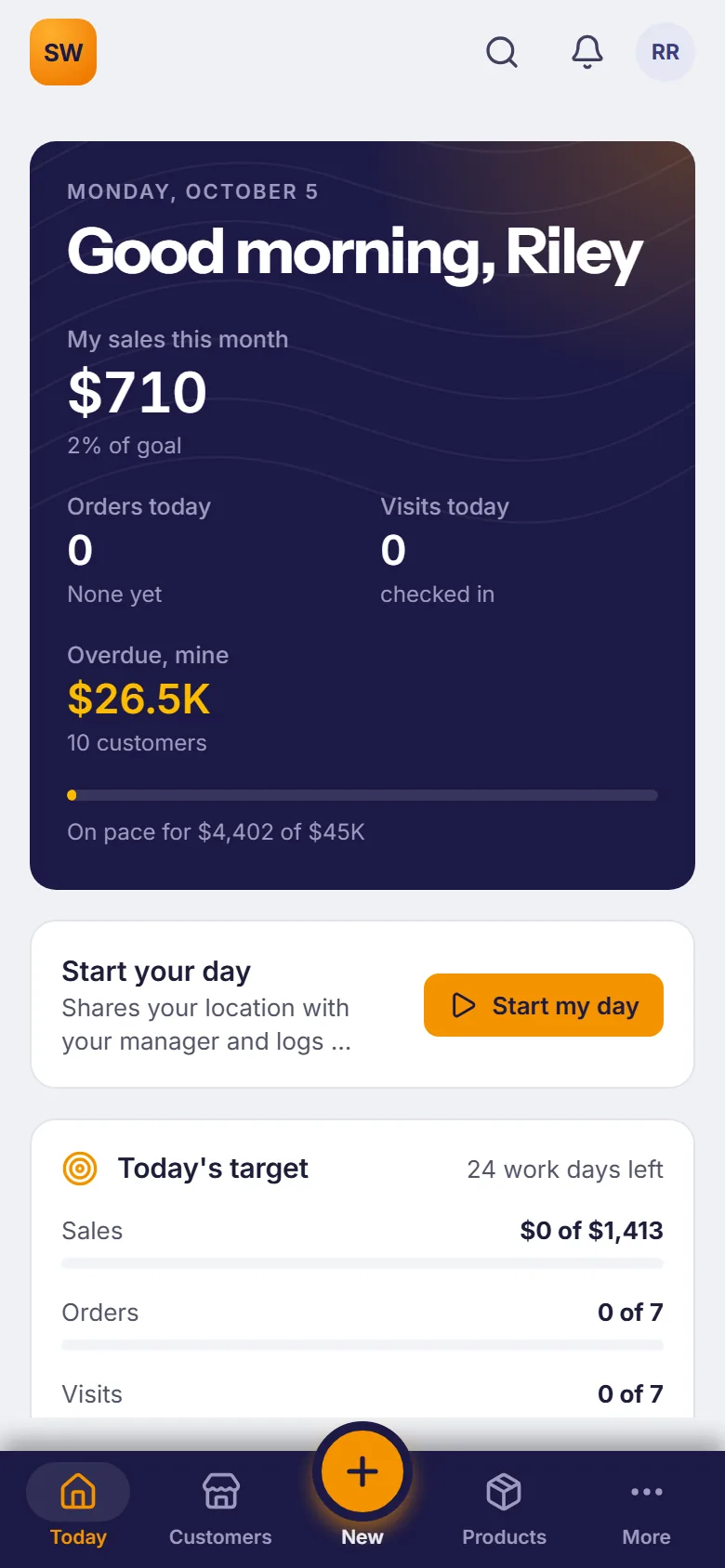
Today opens with the month's sales against goal, today's target and what to do next, ranked by the money at stake.
- Today's target, worked out from the month's goals and the work days left - for sales, orders and visits.
- Do next: collect an overdue balance, call a store that's slipping, take the order that's due.
- Start my day shares their location with the manager and logs the day's mileage, until they end the day.
The right stores first
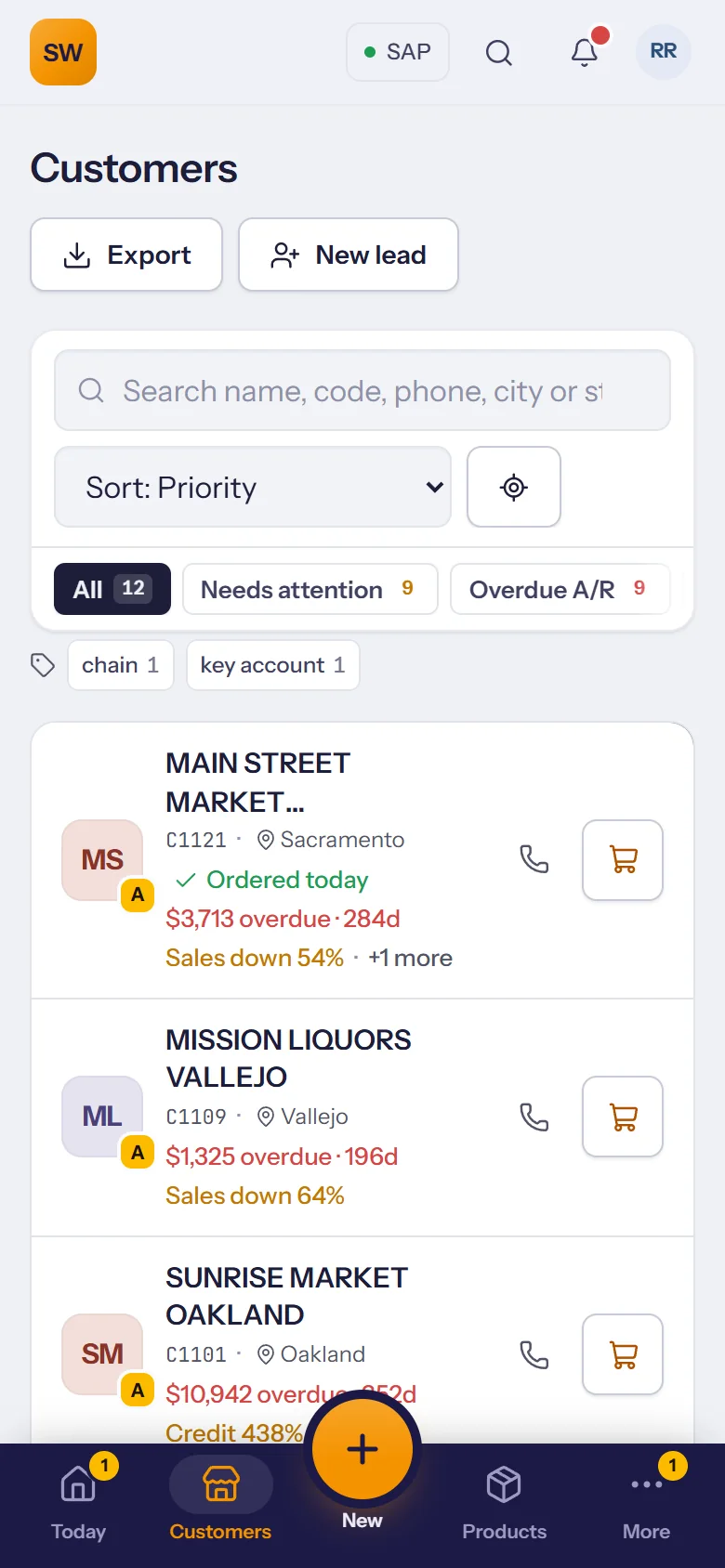
Customers are sorted by what needs doing: an order that's due, a balance that's overdue, sales that are slipping.
- Needs attention and overdue filters, plus your own tags like chain or key account.
- Swipe right to call, left to start an order straight from the list.
- Nearest first, or on a map, when plans change on the road.
A route that plans itself
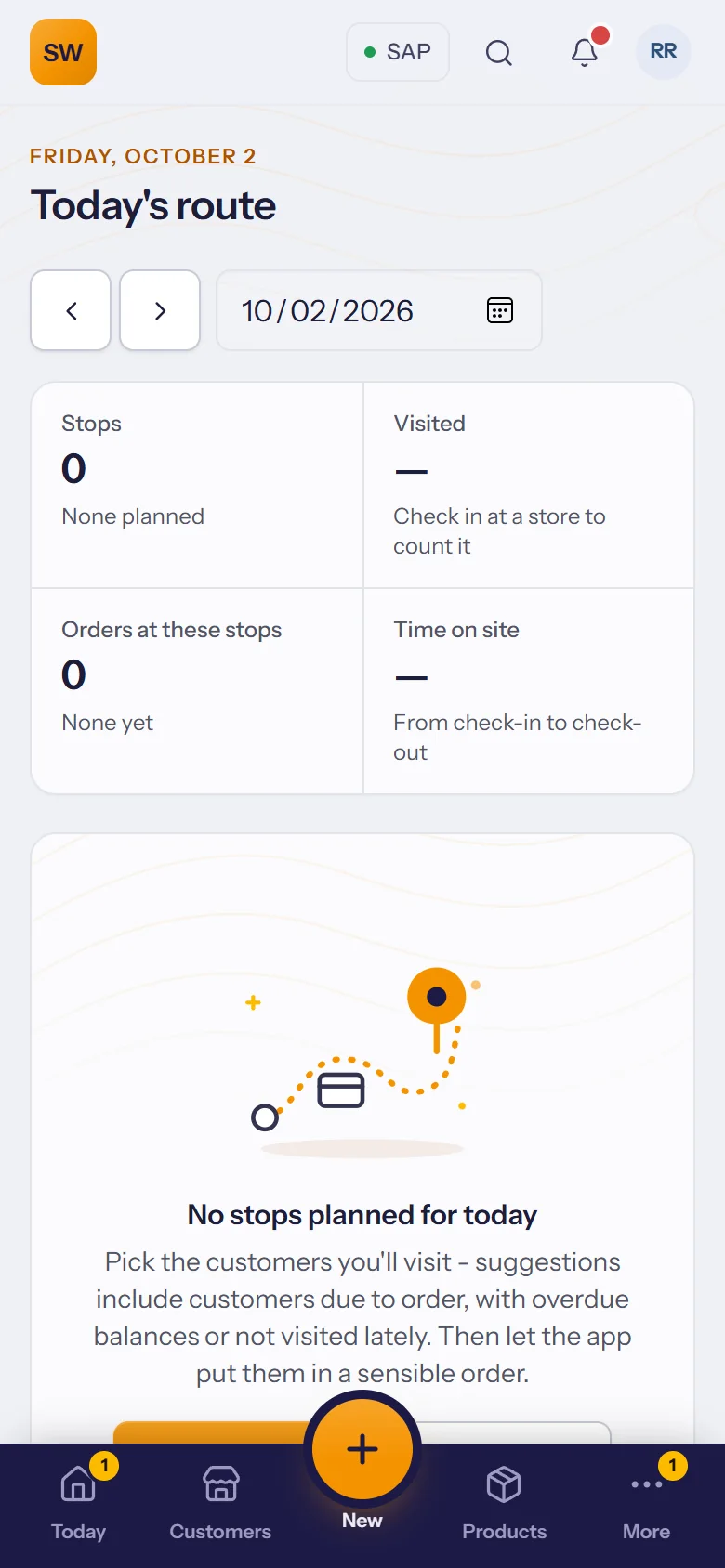
One tap on Plan my day fills the route from orders due, overdue balances and stores nobody has visited lately, and shows it on a map.
- Optimize order puts the stops in a sensible driving order.
- Arrive at a store and the phone offers the check-in; drive off with a visit still open and it reminds you to check out.
- Calls and visits go to SAP as activities.
Walk in prepared
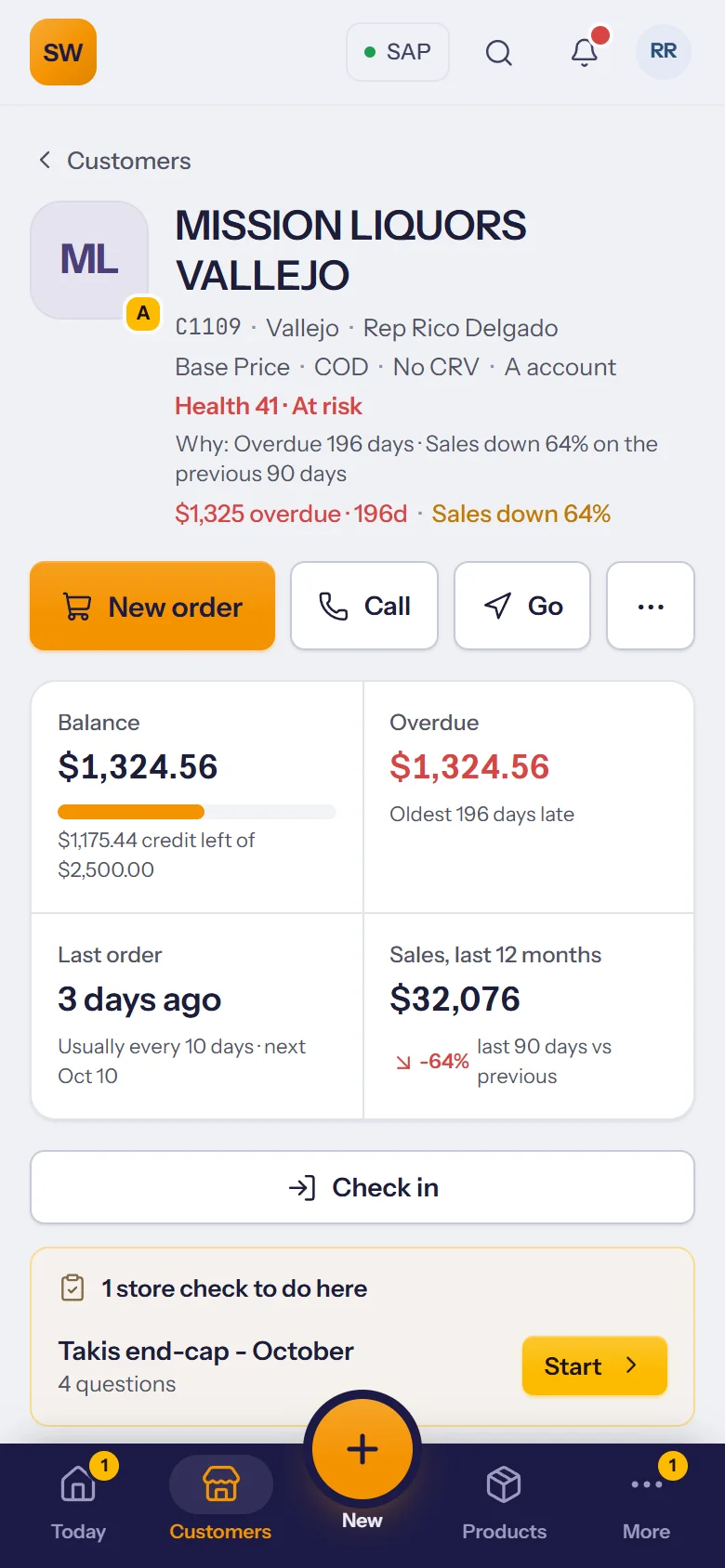
Before the door opens: what the store owes, how much credit is left, when they last ordered and how sales are trending.
- Balance, credit and overdue from SAP, always current.
- Order rhythm: “usually every 10 days, next Oct 9”.
- Store checks waiting to be filled in at that store.
An order while the buyer is still there
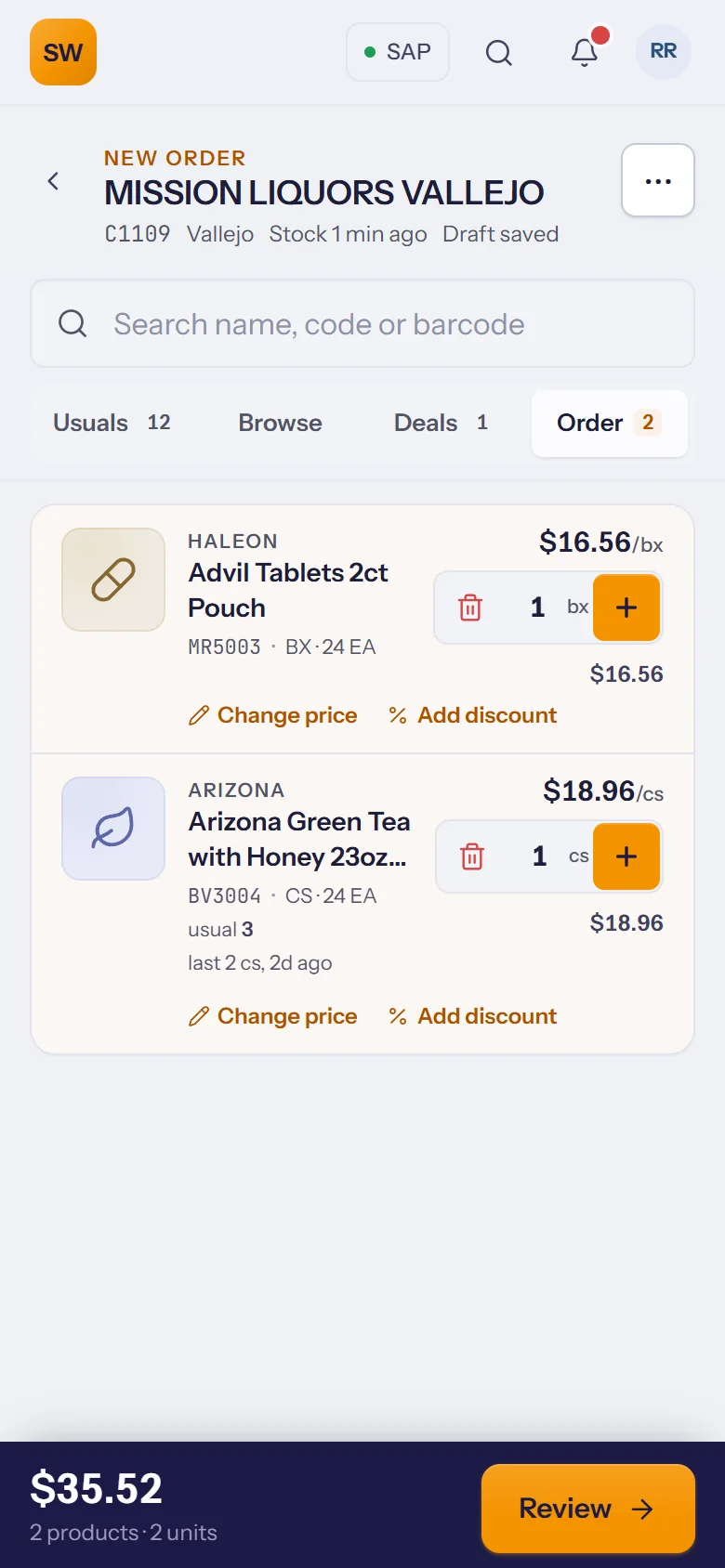
Start from the store's usual products, add today's deals, or scan a barcode. Their own prices and the live stock are on every line.
- Usuals, browse and deals in one screen.
- Scan barcodes with the phone's camera.
- Change a price or add a discount; it goes to a manager to approve, then on to SAP.
Live stock and the right price
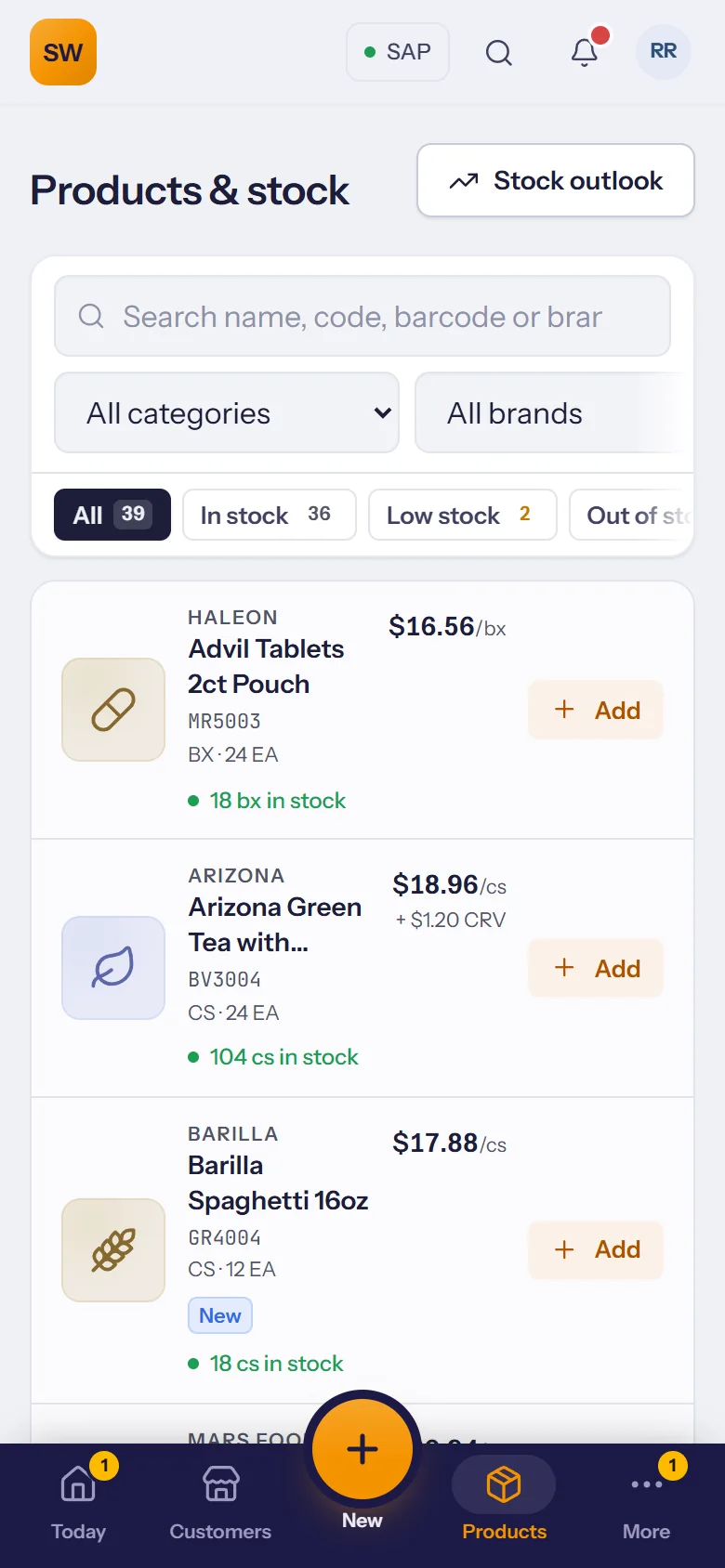
The catalog with photos, filtered to what's in stock, low or out, and priced for the customer in front of you.
- In stock, low and out of stock filters.
- Incoming stock on each product, so you can promise a date.
- Printable catalogues with your photos and prices.
Basements, back roads, walk-in coolers
Customers, the catalogue with each store's prices and today's route are kept on the phone. When the signal drops, the work doesn't.
- Orders, check-ins, payments, tasks and notes are saved on the phone and sent when the signal is back.
- Kept fresh by itself on Wi-Fi, or downloaded in one tap before heading out.
- Waiting to send shows exactly what hasn't gone yet, so nothing gets lost.
Collect on the visit
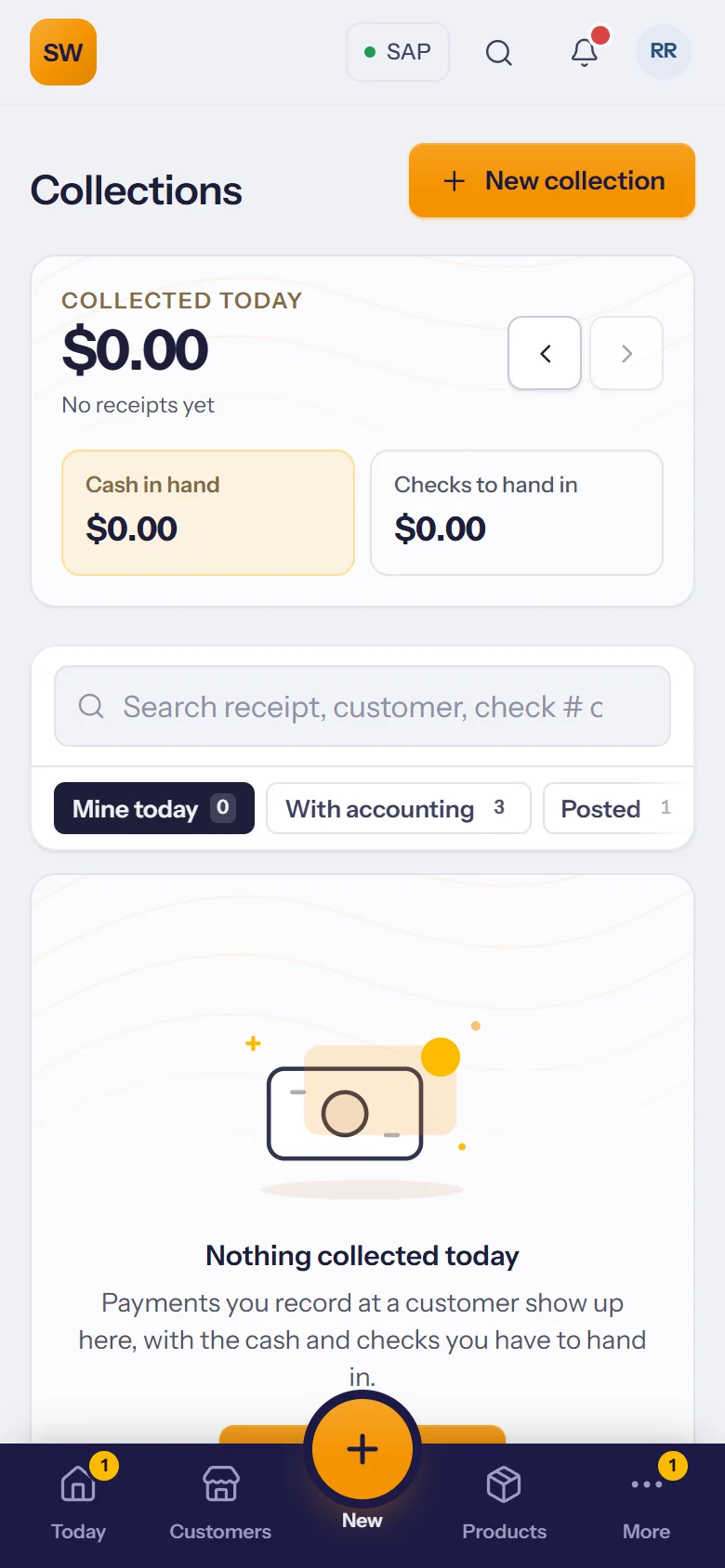
Record what the store pays, hand over a receipt, and the office posts it to SAP.
- The store's balance and overdue invoices on screen while you collect.
- A receipt to print for the store.
- The office checks and posts to SAP as incoming payments.
New stores captured on the road, followed up until they order.
Reminders for you or from your manager, with due dates.
Visits, calls, orders and payments, totalled for the day.
Return requests with the reason, for the office to decide.
Print a store's shelf tags at its own prices, from its page (Pro and Enterprise).
Customers, products, orders and invoices, found as you type.
Approved orders, new tasks and messages, on the phone.
The buyer signs on your phone; the store gets its copy by e-mail.
The store's last order back in the cart in one tap.
Talk instead of typing when you check out of a visit.
Your sales against goal and your commission estimate, this month and last.
Storefront and permit photos go with the lead to the office.
Products most of your stores buy and this one doesn't, with stock to sell.
A store's own prices as a printed catalogue or a PDF, from its page.
From the store's page, one tap each.
The last searches and the customers opened lately, one tap away.
Ticked off a task by mistake? Undo puts it back.
Unlock the app the way you unlock the phone.