Sales, delivery and ordering for wholesale distributors
Your sales reps, drivers and store customers on one platform. Orders, stock, invoices and payments move between TranzSales and SAP Business One on their own, so nobody types anything twice.
No more order pads in the van, photos of shelf tags on WhatsApp, a spreadsheet of who still owes what or the 7 a.m. call to find out where the truck is. Reps order from live stock and prices, drivers get paid at the door, and you see all of it as it happens.
From the first truck out to the last payment in.
- 6:45 a.m.Dispatch
Runs planned before the coffee's done
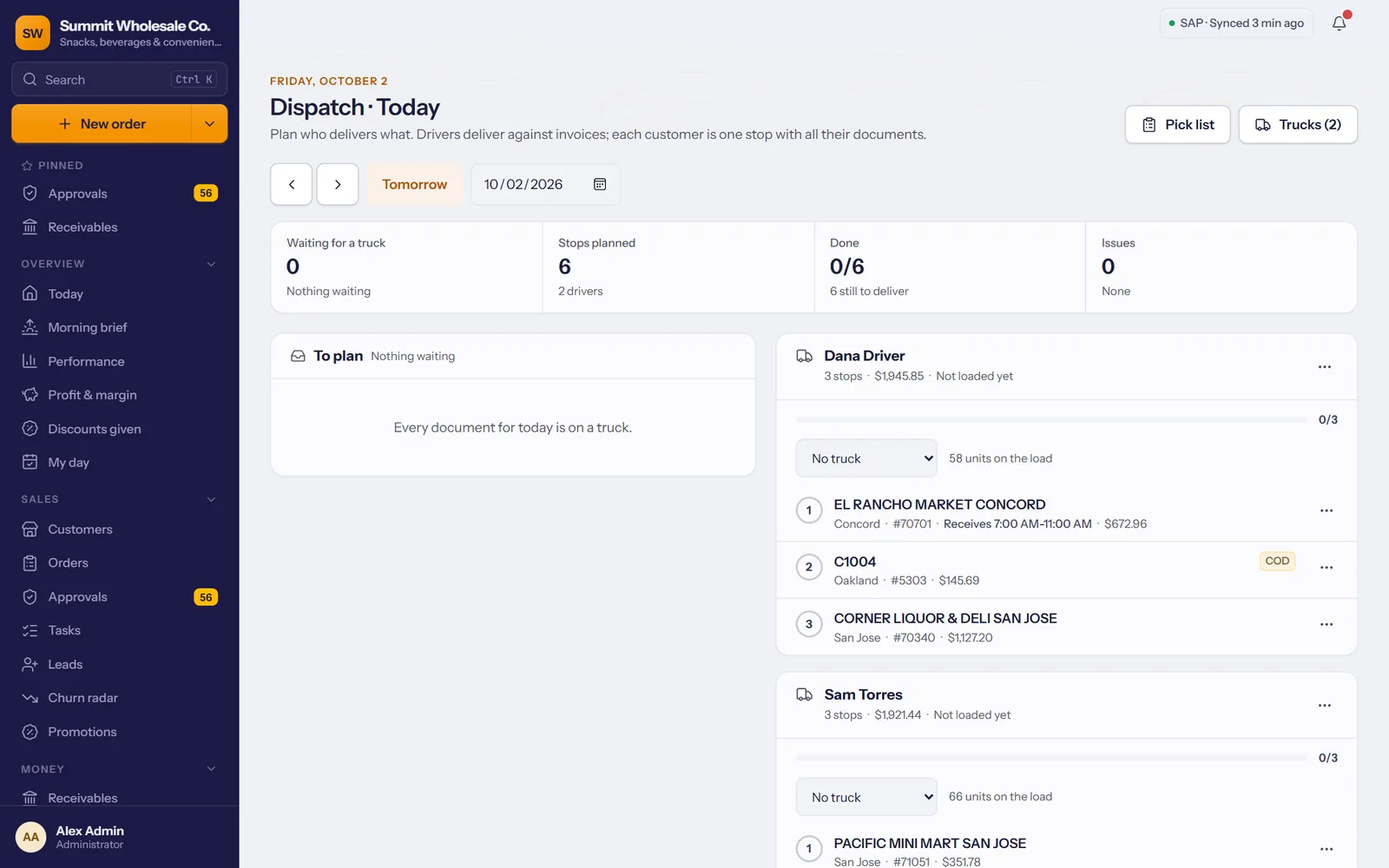
Yesterday's invoices are already on the dispatch board. Tick the stores, pick a driver, press Plan. TranzSales puts the stops in driving order and checks what fits on the truck.
- 8:20 a.m.Sales rep
The rep walks in knowing the store
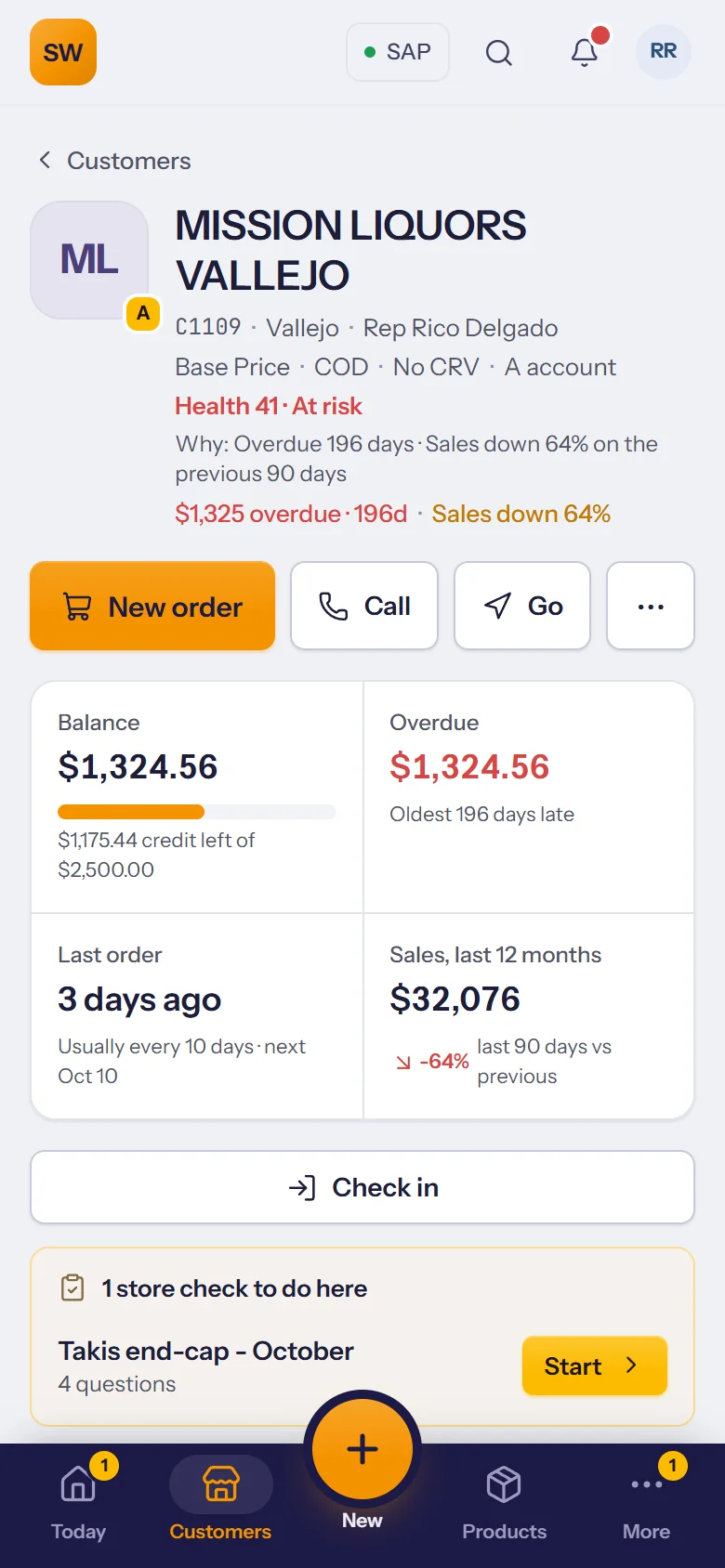
Balance, credit left, how often they order and how sales are trending, on the phone before the door opens. A store check for the end-cap is waiting too.
- 8:35 a.m.Sales rep
The order, while the buyer is still there
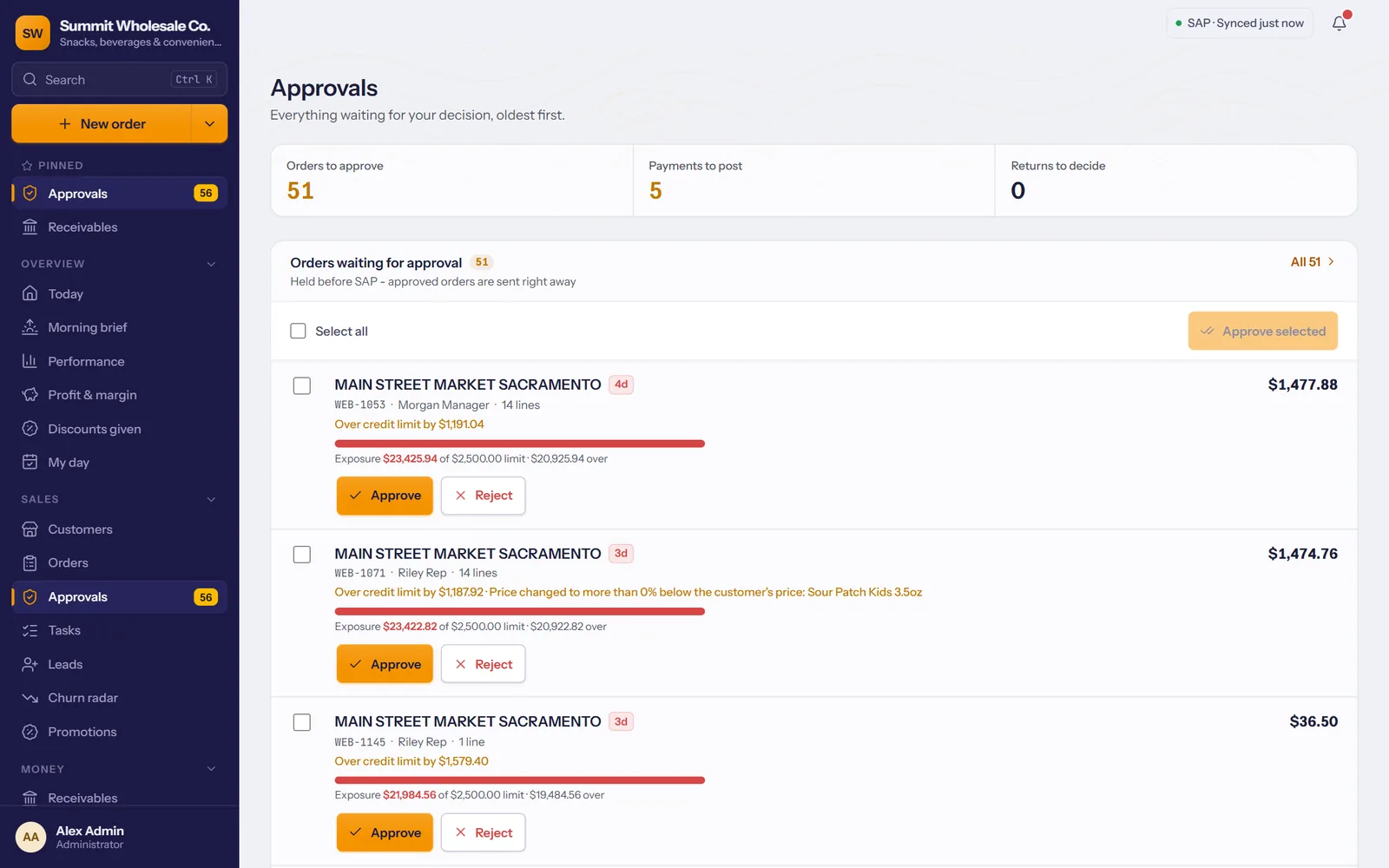
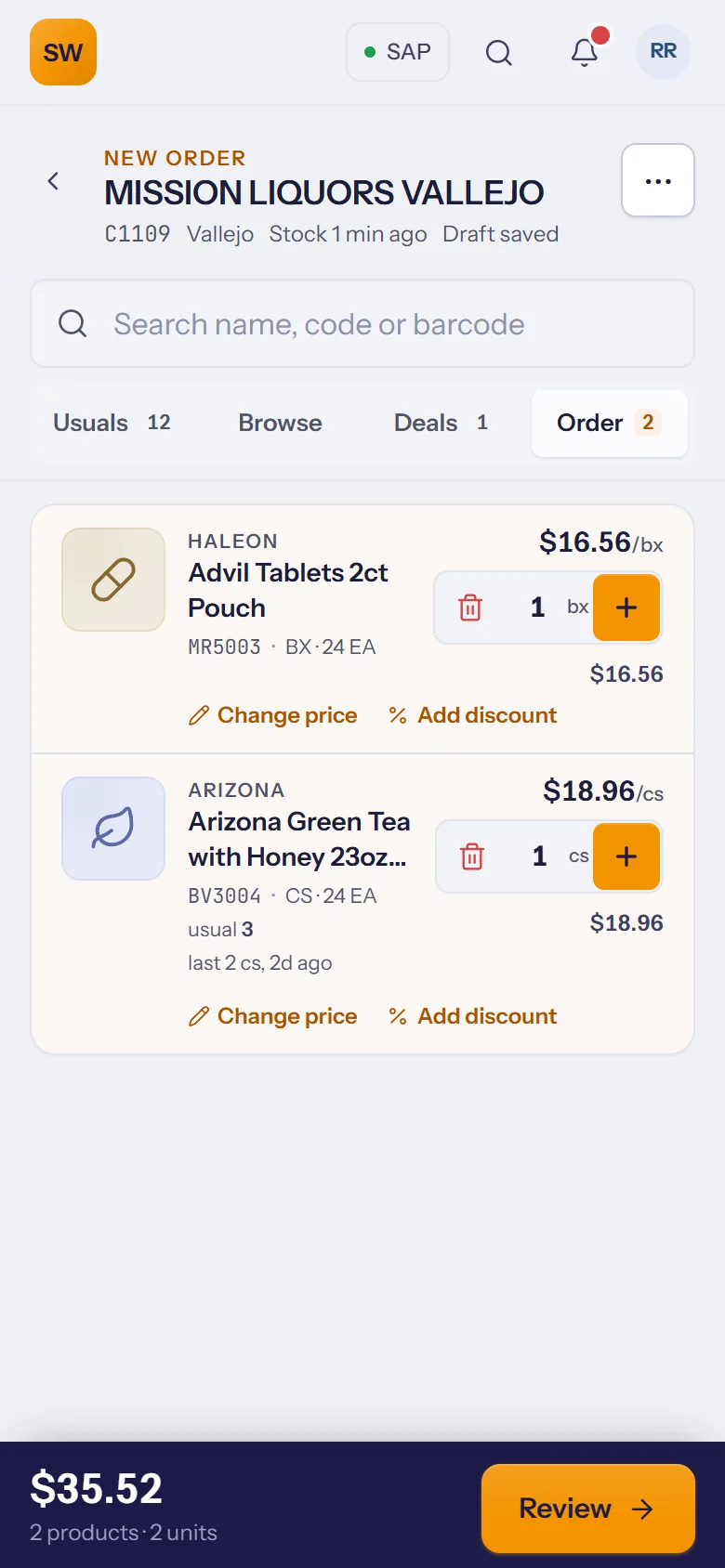
Their usual products, today's deals, live stock and their own prices. Scan a barcode to add it. Price changes and discounts go to a manager to approve; the order goes on to SAP by itself.
- 11:30 a.m.Store
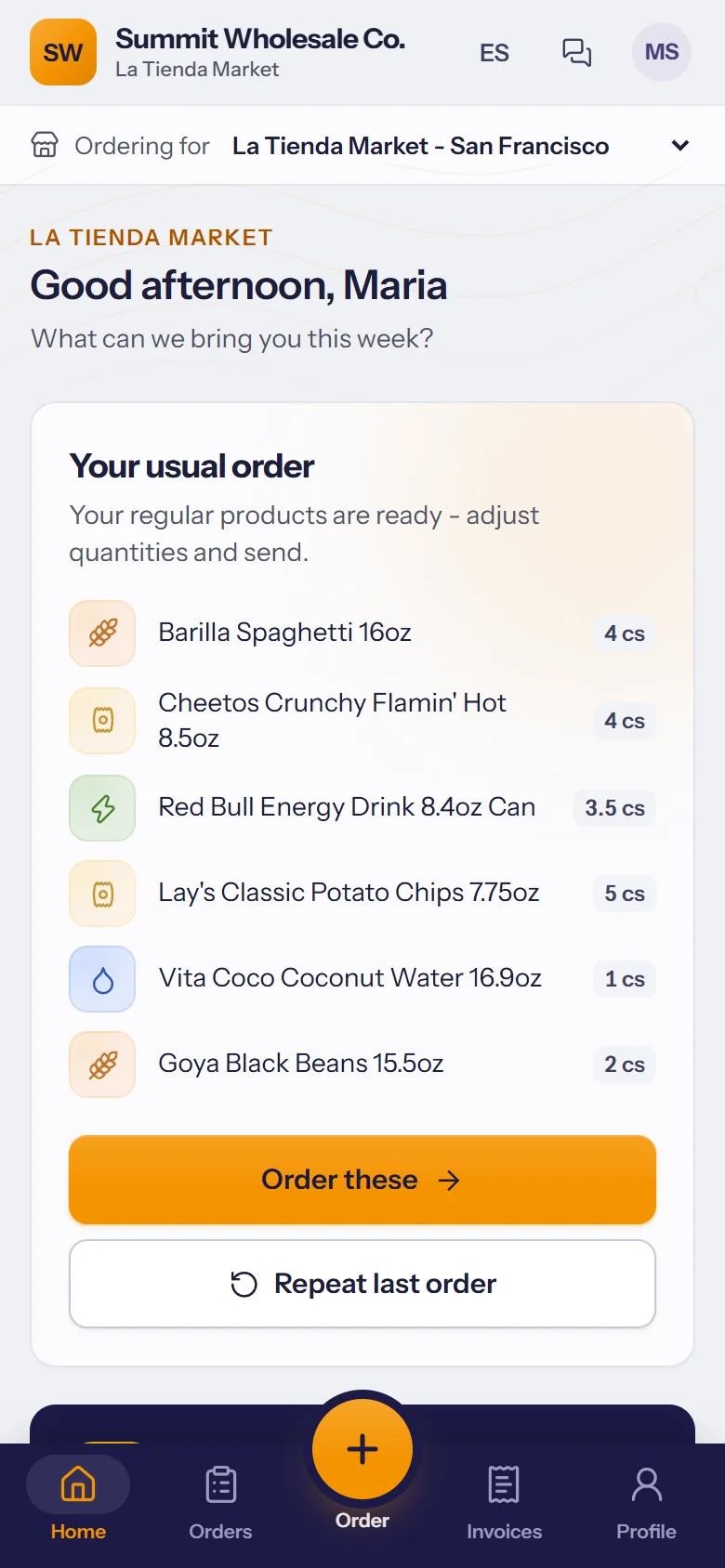
The store reorders without calling
Your customers order from their own portal at their own prices, whenever suits them. Deals, standing orders and their invoices are all there.
- 1:15 p.m.Driver
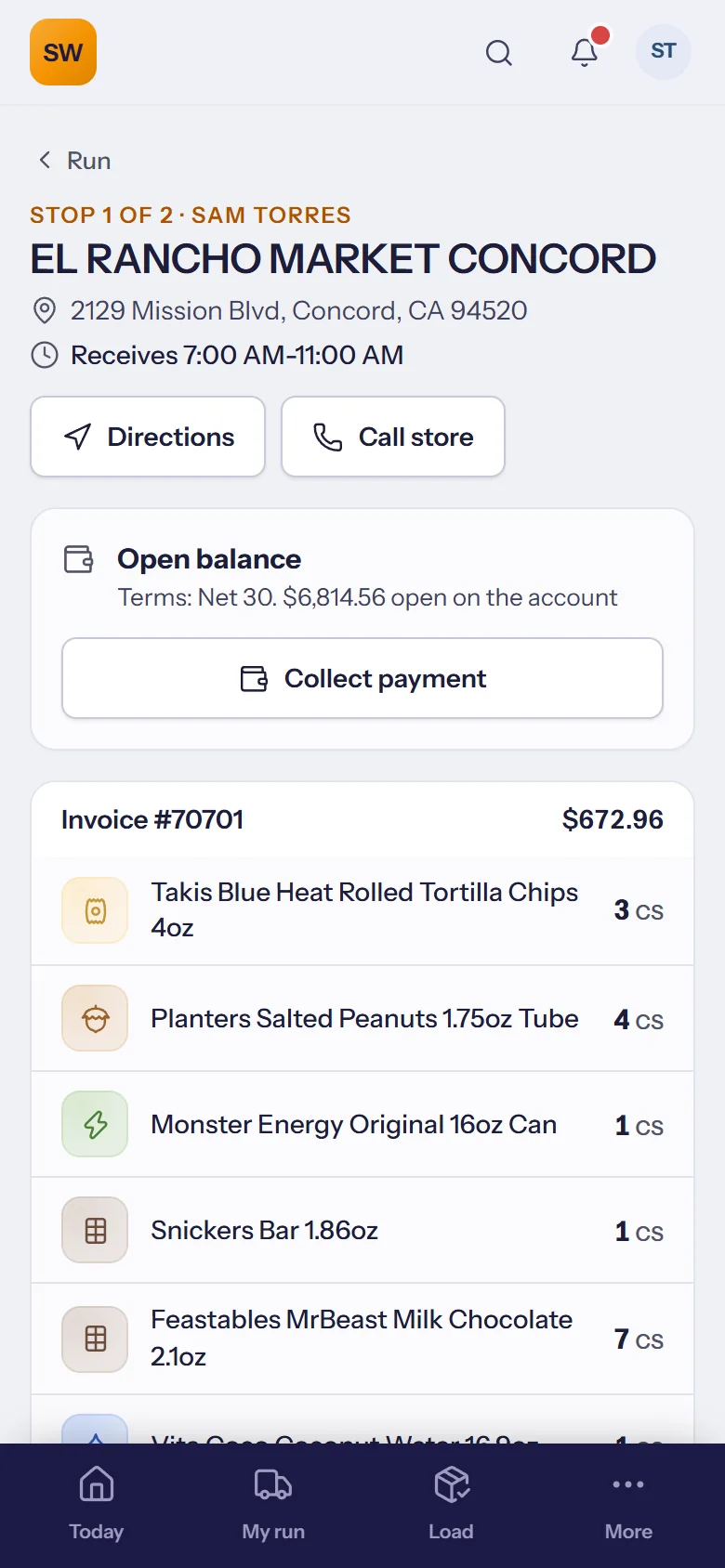
Delivered, signed and paid
The driver follows the run, takes a signature and a photo at the door and collects the payment. No signal in the stockroom? It's kept on the phone and sent when the signal is back.
- 5:30 p.m.Owner
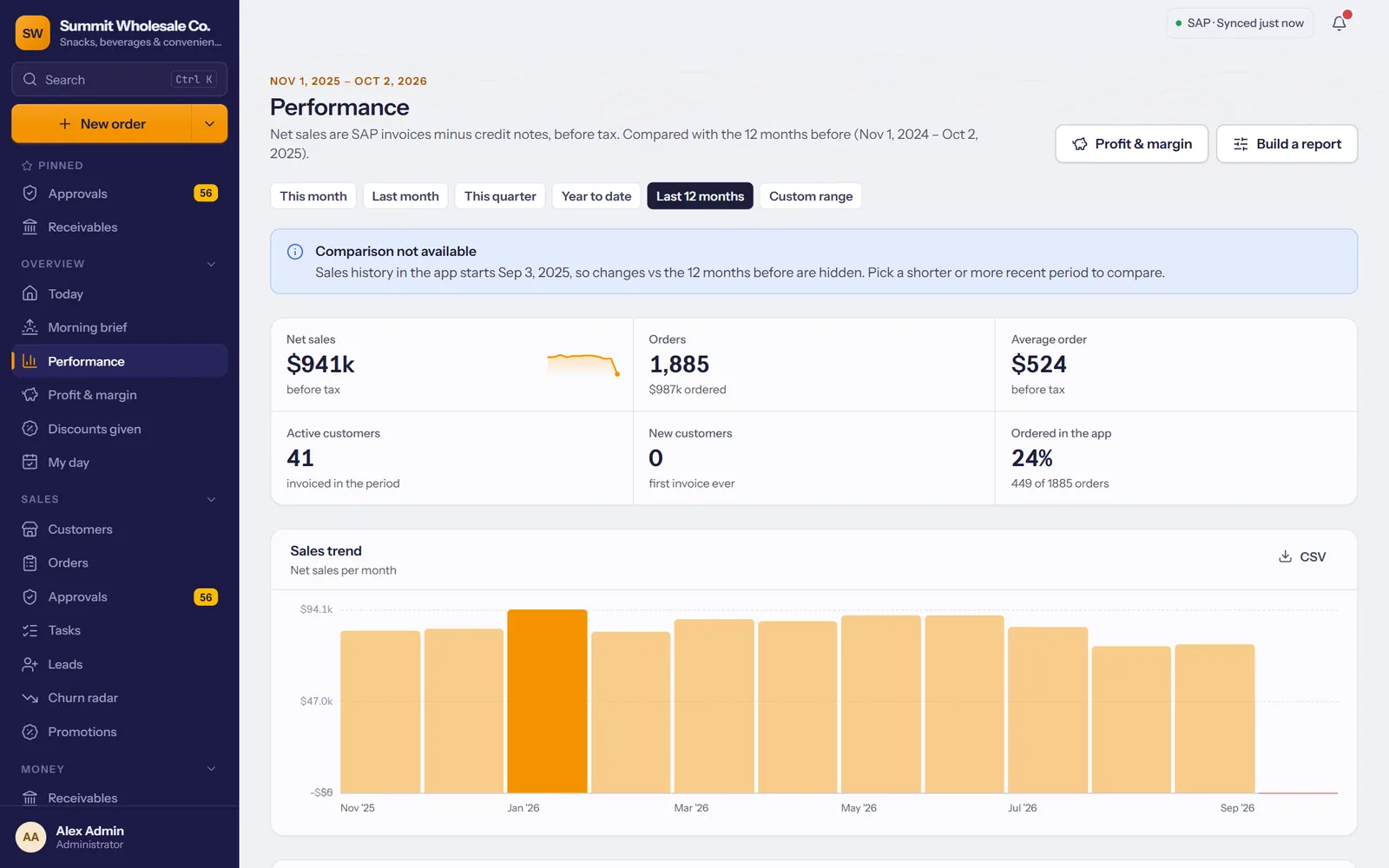
The day, in numbers
Sales by rep, customer and product, orders waiting for approval, payments to post and stores that have stopped ordering. Tomorrow starts with a morning brief.
Everyone gets the screen made for their job.
The whole business on one screen
Approvals, receivables, the team, goals, dispatch and reports.
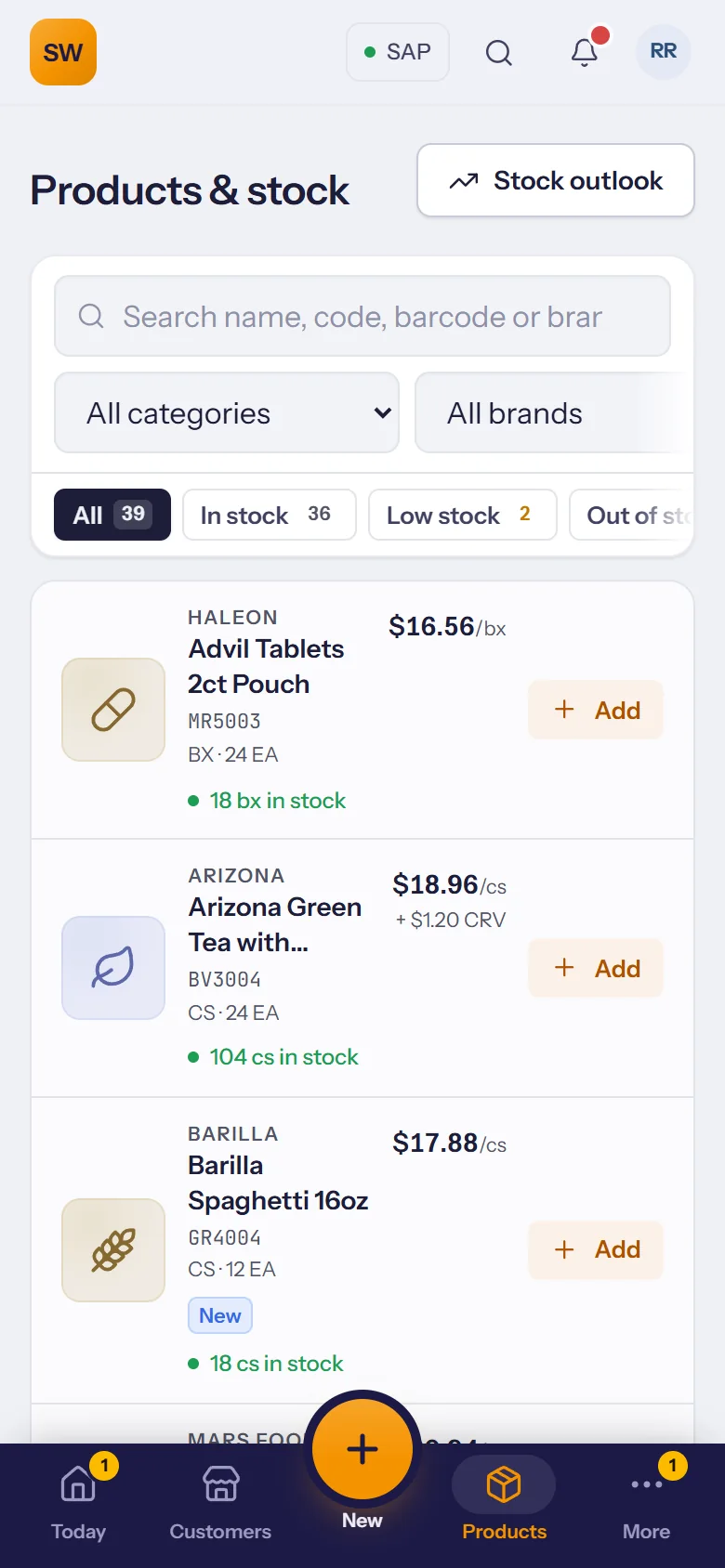
For ownersEverything for the store visit
Customers in priority order, route and visits, orders from live stock, payments.
For sales reps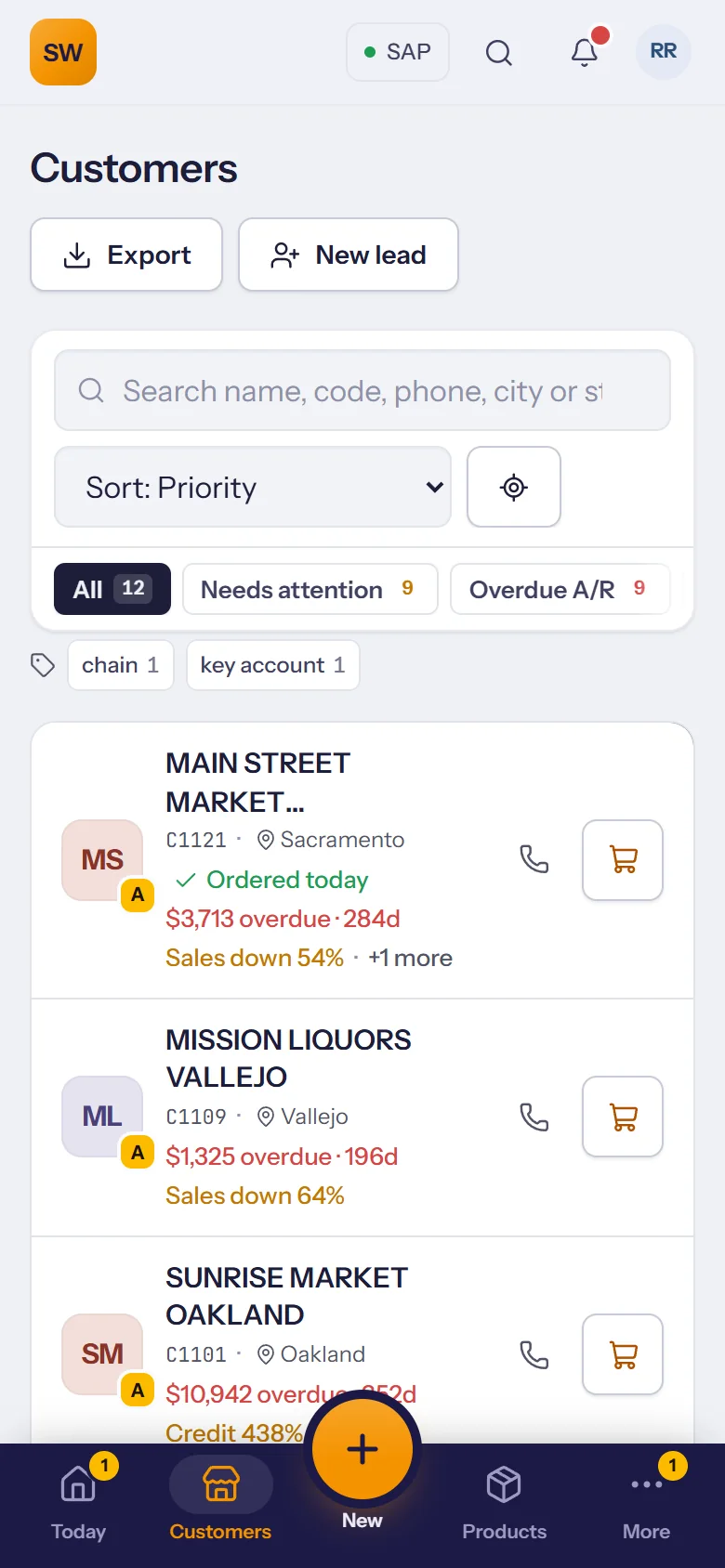
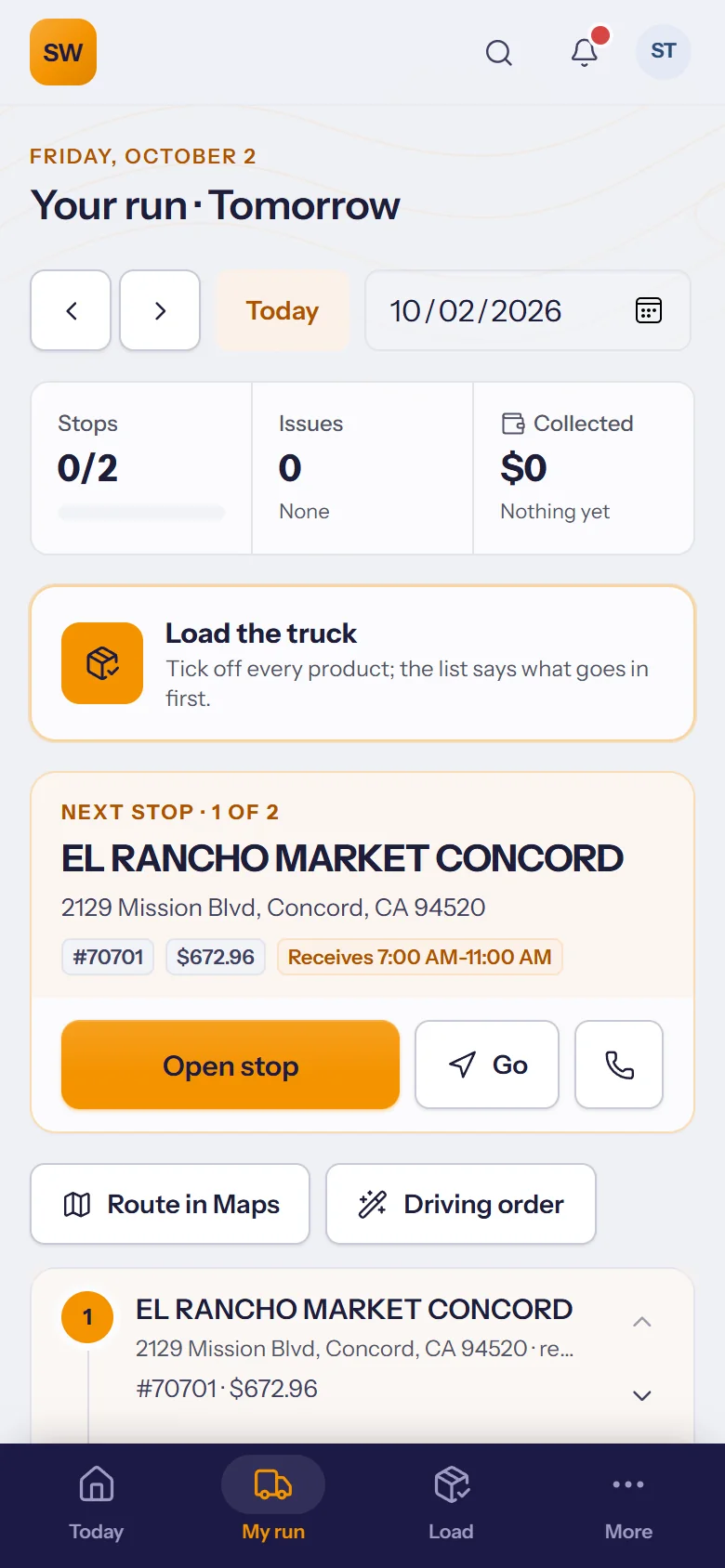
From the loading dock to the last stop
The load list, the run in order, proof of delivery and cash hand-in.
For drivers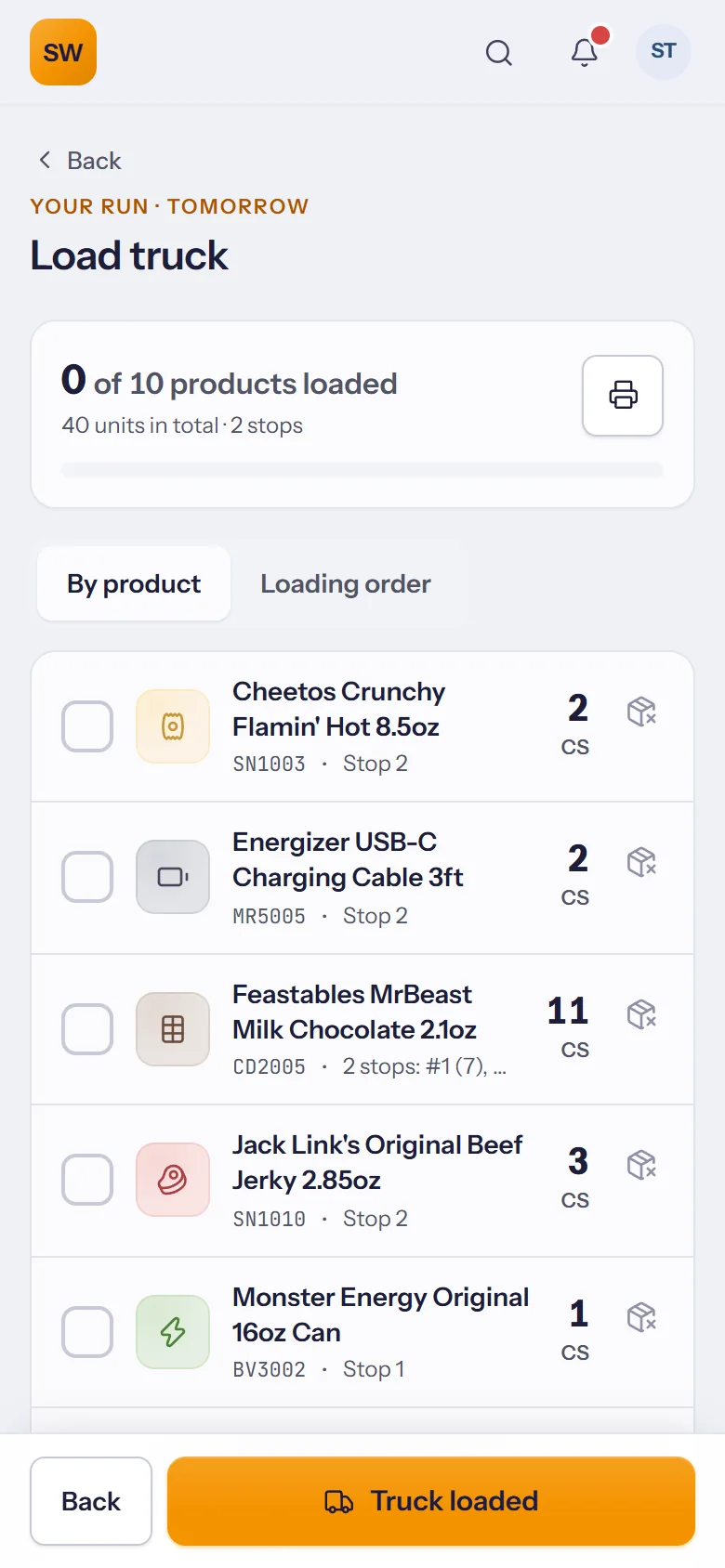
Their own ordering app
Stores order around the clock at their own prices, in English or Spanish.
Customer portal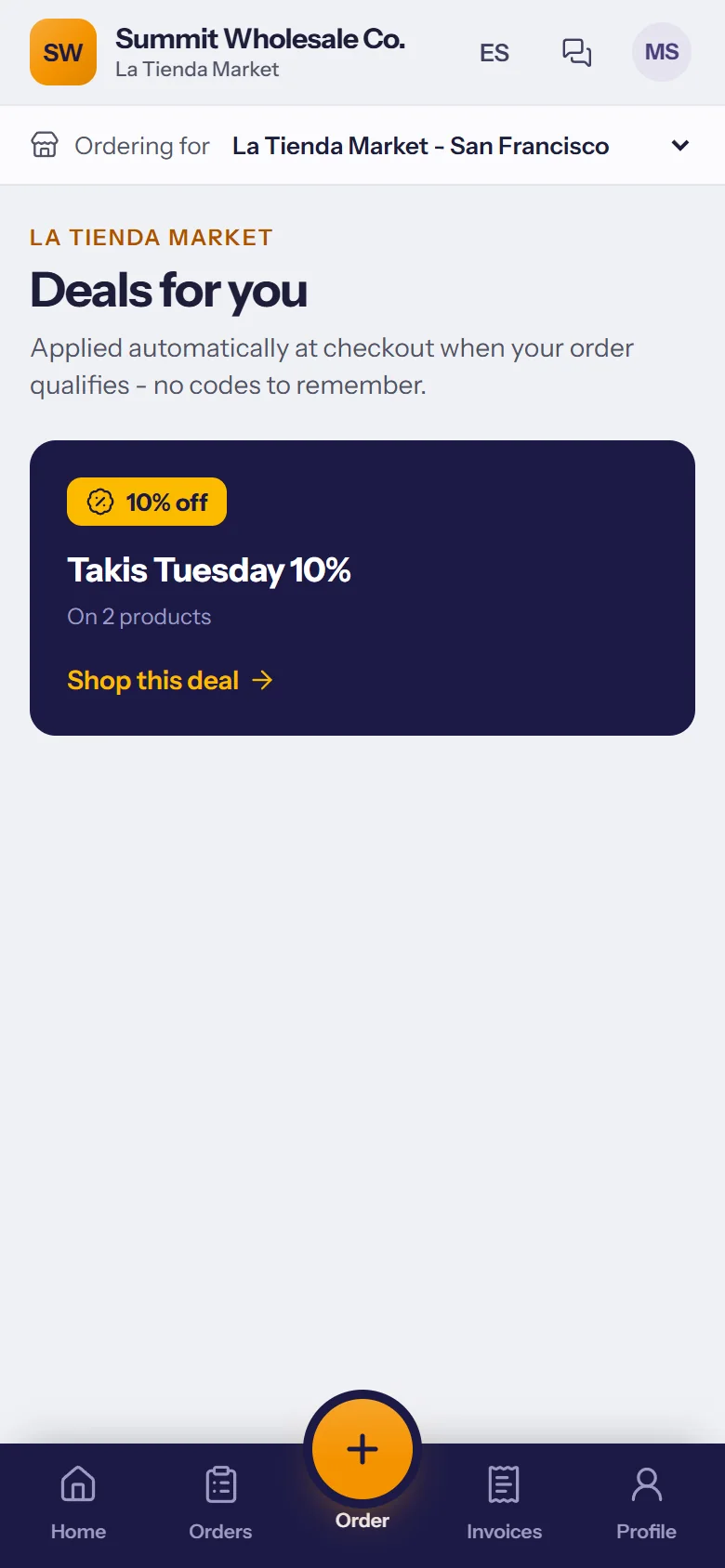
Less typing, fewer mistakes.
Vendor invoices into SAP, without retyping
Upload a PDF or a phone photo. Every line is read, matched to your SAP items and checked; you approve, and it goes to SAP.
Purchasing import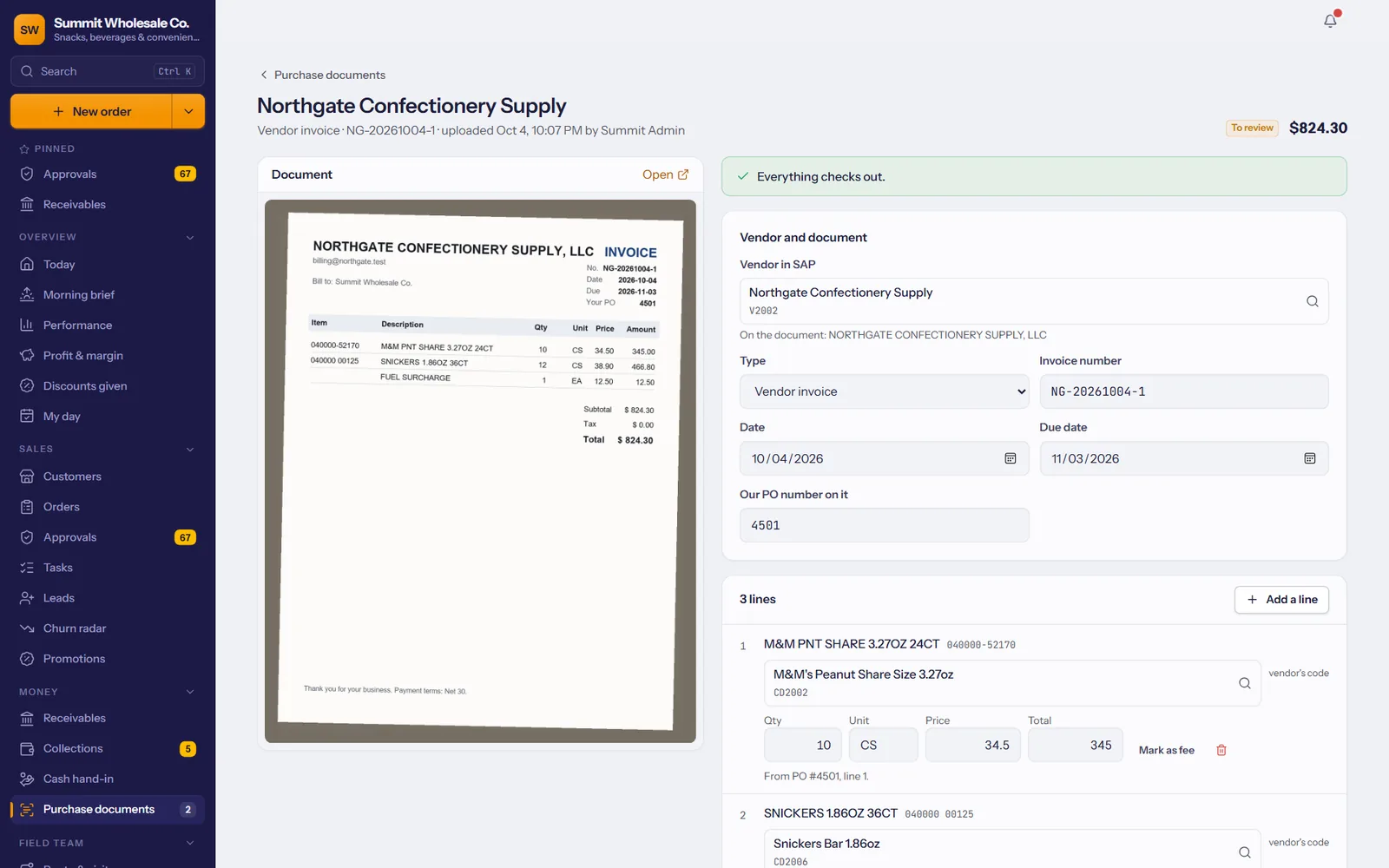
Shelf tags and barcodes, straight from SAP
Price tags, shelf, barcode, case and bin labels with the right price on each, on label sheets or a label printer.
Shelf & barcode labels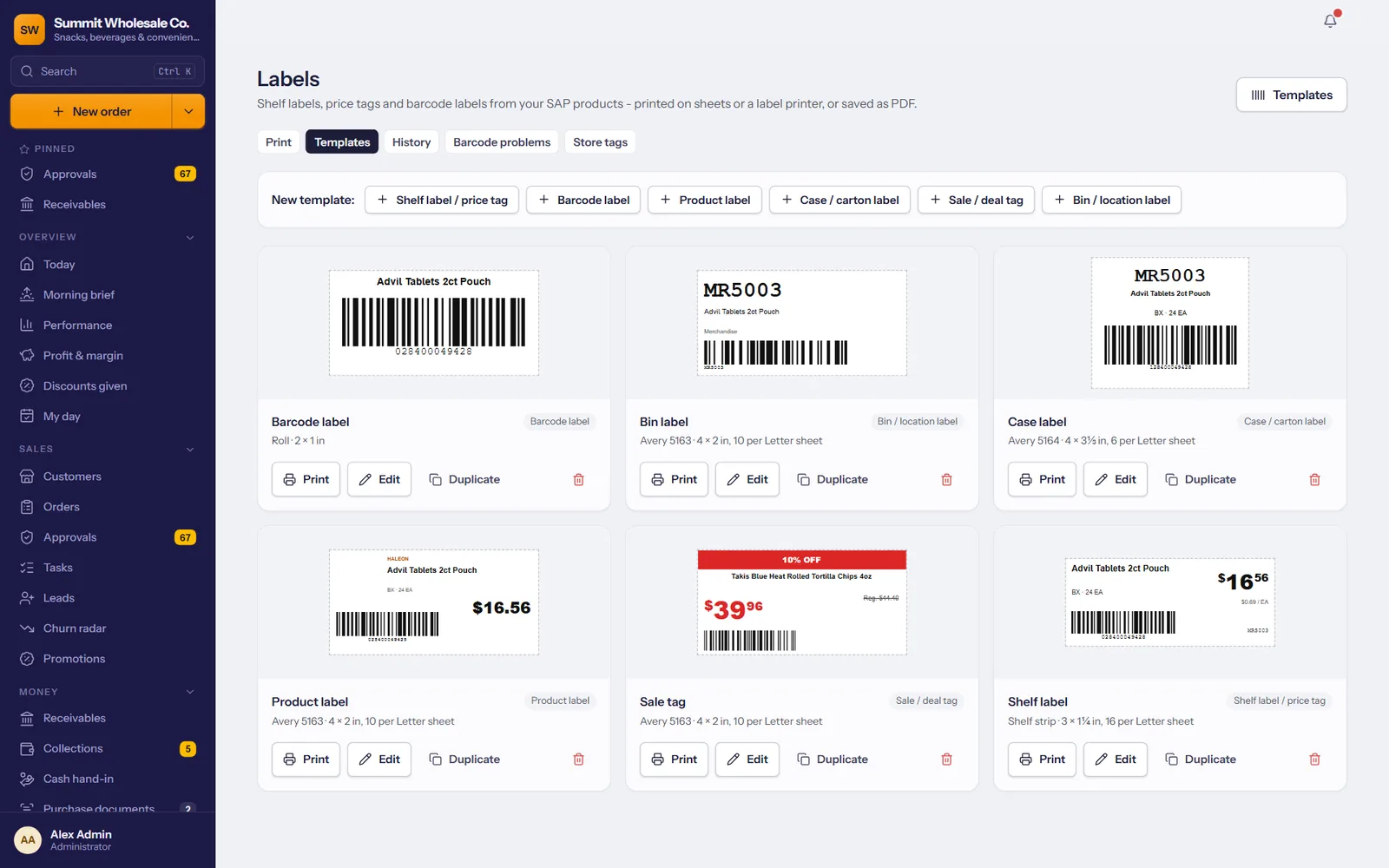
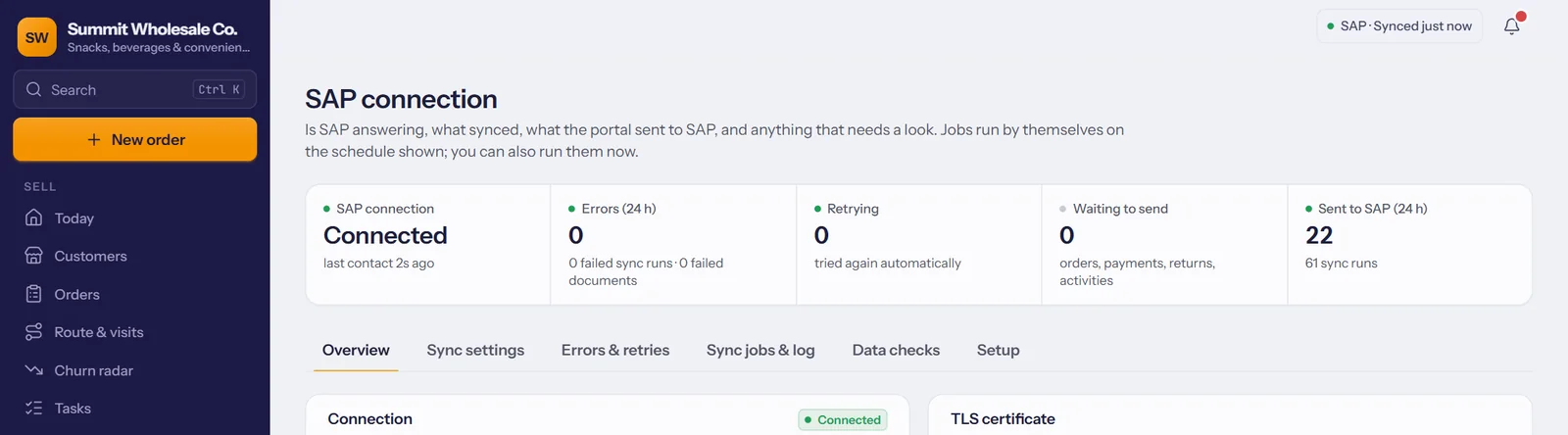
SAP stays the system of record.
TranzSales connects through the SAP Service Layer, on your server or at your hosting partner. Syncs run on the schedule you choose, try again by themselves when SAP is busy, and tell you when something needs a look.
From SAP
- Items, prices and special prices
- Stock by warehouse
- Customers, addresses and contacts
- Invoices, credit notes and deliveries
- Payments and open balances
Into SAP
- Sales orders
- Incoming payments
- Return requests
- Visits and calls, as activities
- Vendor invoices and purchase orders
Three steps, and we take them with you.
Connect SAP
We connect to your SAP Business One and run the first sync: products, prices, stock, customers and sales history.
Invite your team
Add the office, your reps and your drivers. Each rep is linked to their SAP sales employee, so they see their own customers.
Open the portal to your stores
Invite your customers to order online at their own prices. Their logins don't count as users.
All four apps in under two minutes.
The owner dashboard, the sales rep app, the driver app and the customer portal, shown with a demo company's products and stores.
The small things that matter every day.
Approvals, new orders and delivery updates reach the right phone.
Orders, visits, deliveries and payments are saved on the phone and sent when it reconnects.
During the workday, managers see where reps and trucks are; mileage logs itself.
Monthly goals become a target for today on every rep's phone.
Receipts, statements, load sheets and catalogues, on paper or as a PDF.
Your logo and colors on every screen, e-mail and printout.
Each person sees what their job needs, and nothing else.
Who approved, changed or posted what, and when.
Customers, products, orders and invoices, found as you type.
The customer portal works in English and in Spanish.
Gross margin by customer, product, brand and rep, from SAP cost.
A rate on sales or margin per rep; each rep sees their own earnings.
Big orders, quiet key accounts and the week's numbers, sent to you.
Statements by e-mail, and polite reminders for overdue balances.
Price tags, shelf labels and barcodes from your SAP items. Pro and Enterprise.
See which stores order online and invite the rest; you check each e-mail first.
Vendor invoices and POs read, matched and checked, then into SAP when you approve. Enterprise.
Ask in plain words: who stopped ordering, top products this quarter. Read-only.
3 users in every plan, then $39.99 for each additional user. Store customers ordering in the portal are free.
Questions distributors ask us.
Which version of SAP Business One do we need?
Any SAP Business One with the Service Layer available, on your own server or hosted by your SAP partner. We test the connection with you before anything goes live.
Does TranzSales replace SAP?
No. SAP stays your system of record for accounting, inventory and invoicing. TranzSales is where your team and your customers work during the day, and it keeps SAP up to date.
Do our reps and drivers need new phones?
No. The Android app runs on the phones they already have, and everything also works in a phone's web browser. An iPhone app is on the way.
What happens when there's no signal?
Your team keeps working. Customers, products with each store's prices and the day's route are kept on the phone. Orders, check-ins, payments and deliveries with signatures and photos are saved and sent as soon as it reconnects.
Who owns our data?
You do. Each company's data is kept in its own separate database, and SAP stays the system of record. If you leave, your data is returned to you or deleted.
How is it priced?
Plans start at $250 a month with 3 users included, and each additional staff user is $39.99 a month. Your store customers' portal logins are free, and connecting to your SAP Business One is included.
How long does it take to get started?
Most of the work is connecting SAP and inviting your team, and we do both with you. Book a demo and we'll put together a plan for your company.
See it with your own products.
We'll walk you through TranzSales with your kind of catalog, customers and routes.
+1 (510) 871-8833 WhatsApp +1 (510) 880-3342 Support@TranzDigital.com