Run the business from one screen, not five.
Sales, approvals, money owed, the team in the field and tomorrow's deliveries, in one place. It's your SAP data, kept current through the day, so the numbers match your books.
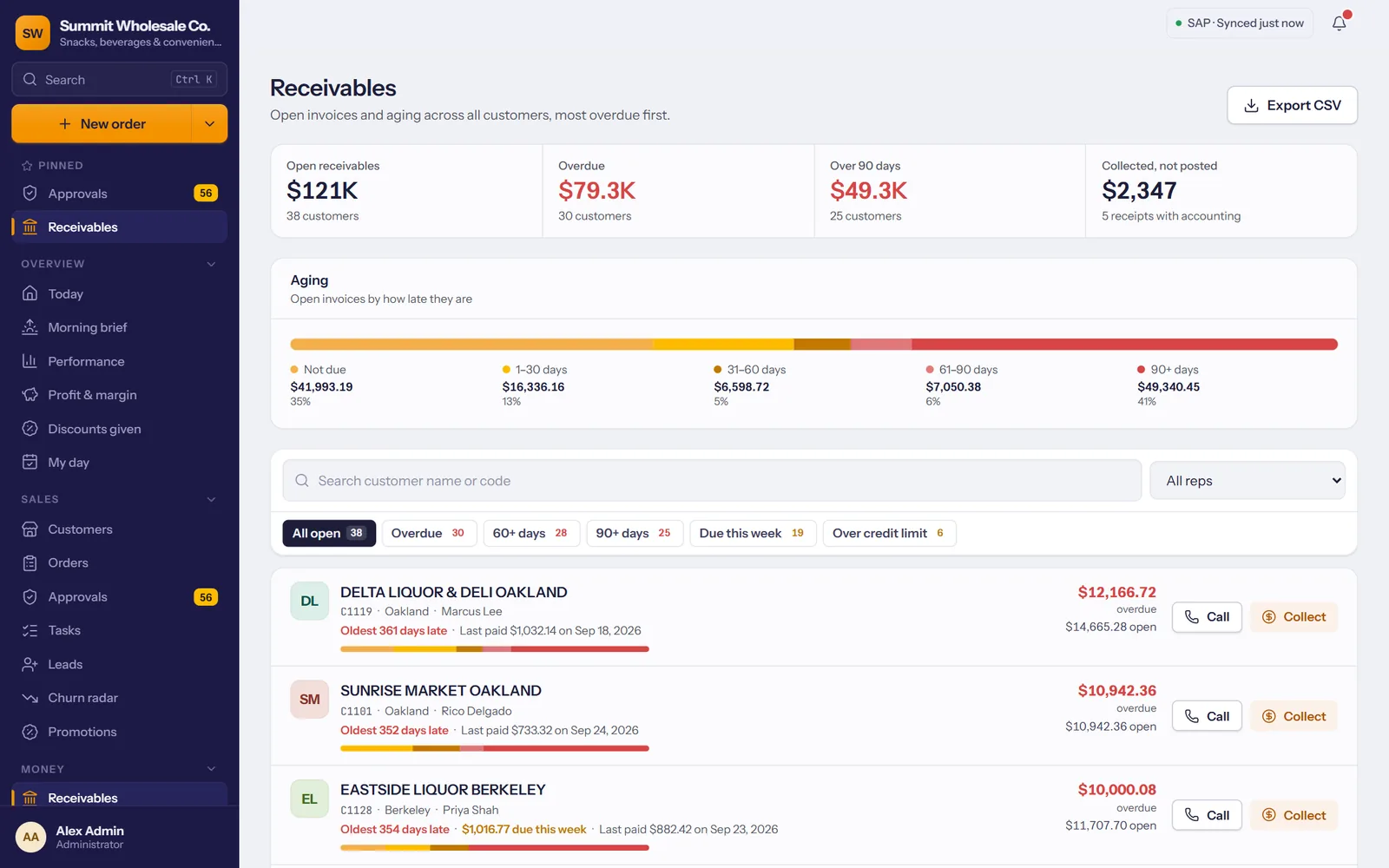
Only the orders that need you
Most orders go straight to SAP. The ones that break a rule wait for a manager, with the reason in plain words.
- Credit, holds and discounts: orders over the credit limit, for a customer on hold or with a price change wait for approval.
- Approve or reject in one click, from the office or from your phone.
- Payments collected in the field are checked here and then posted to SAP.
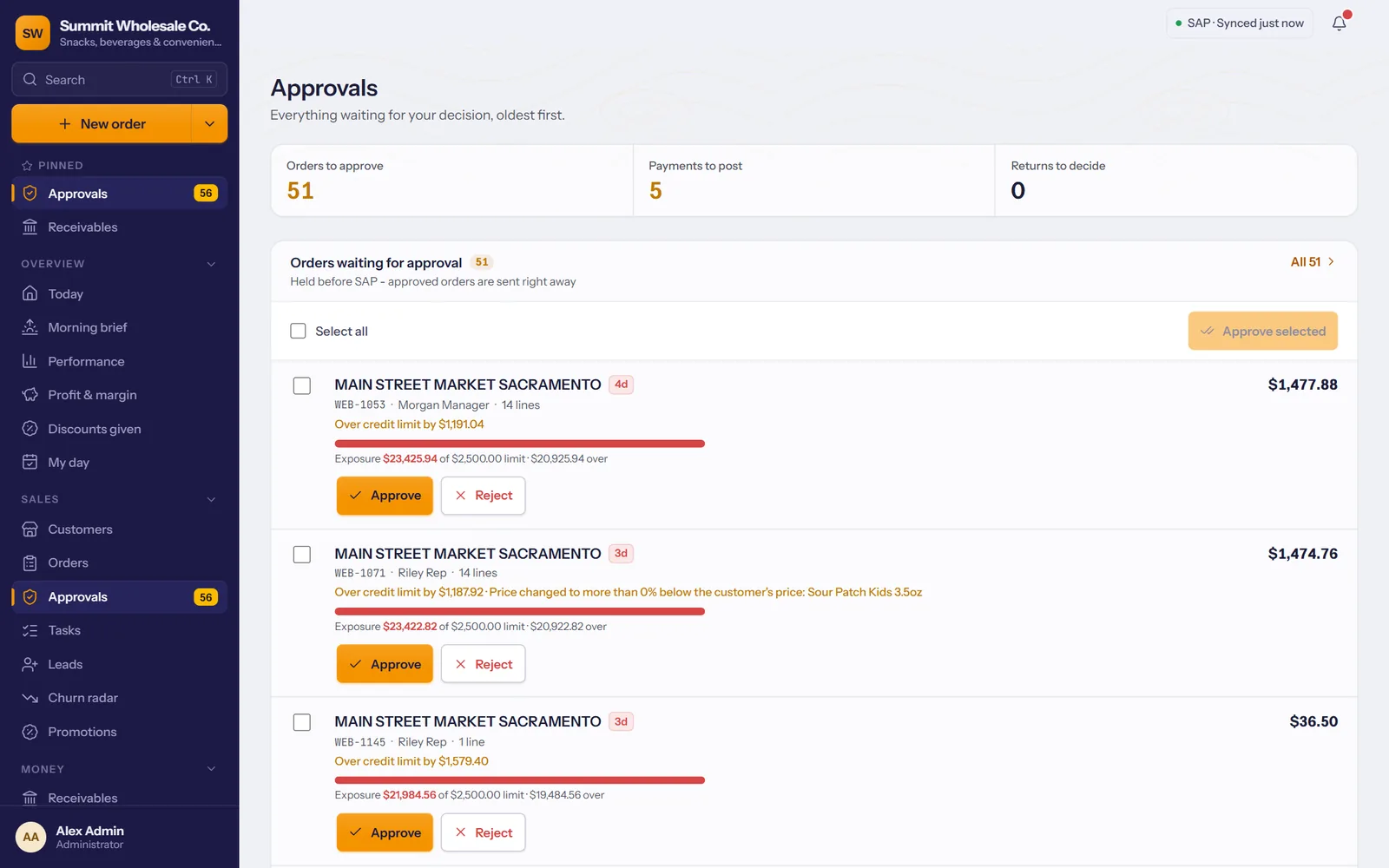
Who owes what, and since when
Open and overdue balances straight from SAP, aged by customer, with the oldest invoice up front.
- Aging at a glance, from not yet due to over 90 days.
- Overdue shows on the rep's screen for that customer, so it gets collected on the next visit.
- Export to CSV whenever accounting asks.
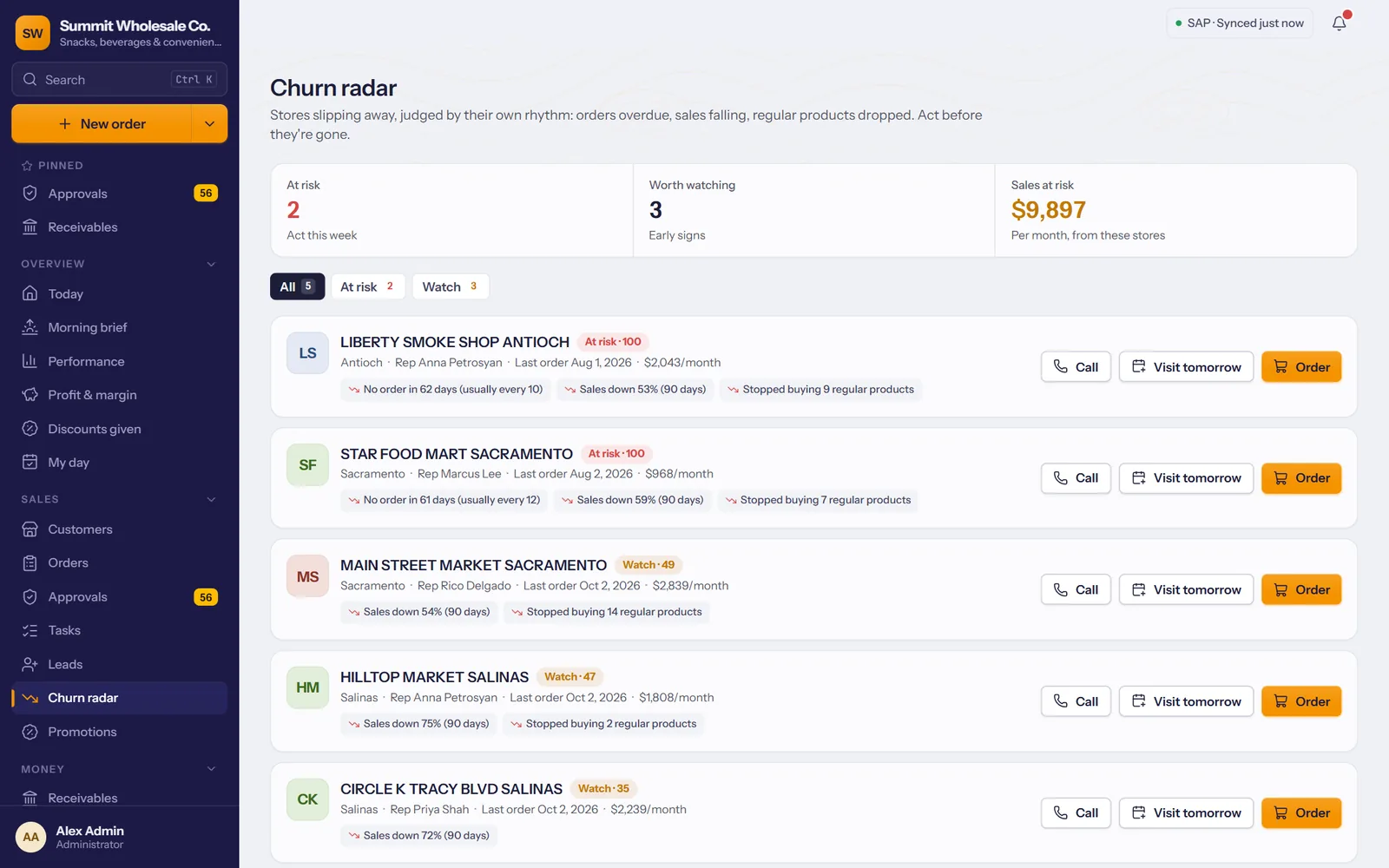
Catch a slipping store before it's gone
TranzSales learns each store's ordering rhythm and tells you when one goes quiet, with the sales at risk.
- At risk, worth watching, gone quiet: stores sorted by how far they've drifted.
- Sales at risk per month, so you know which ones are worth a drive.
- Call, plan a visit or start an order right from the list.
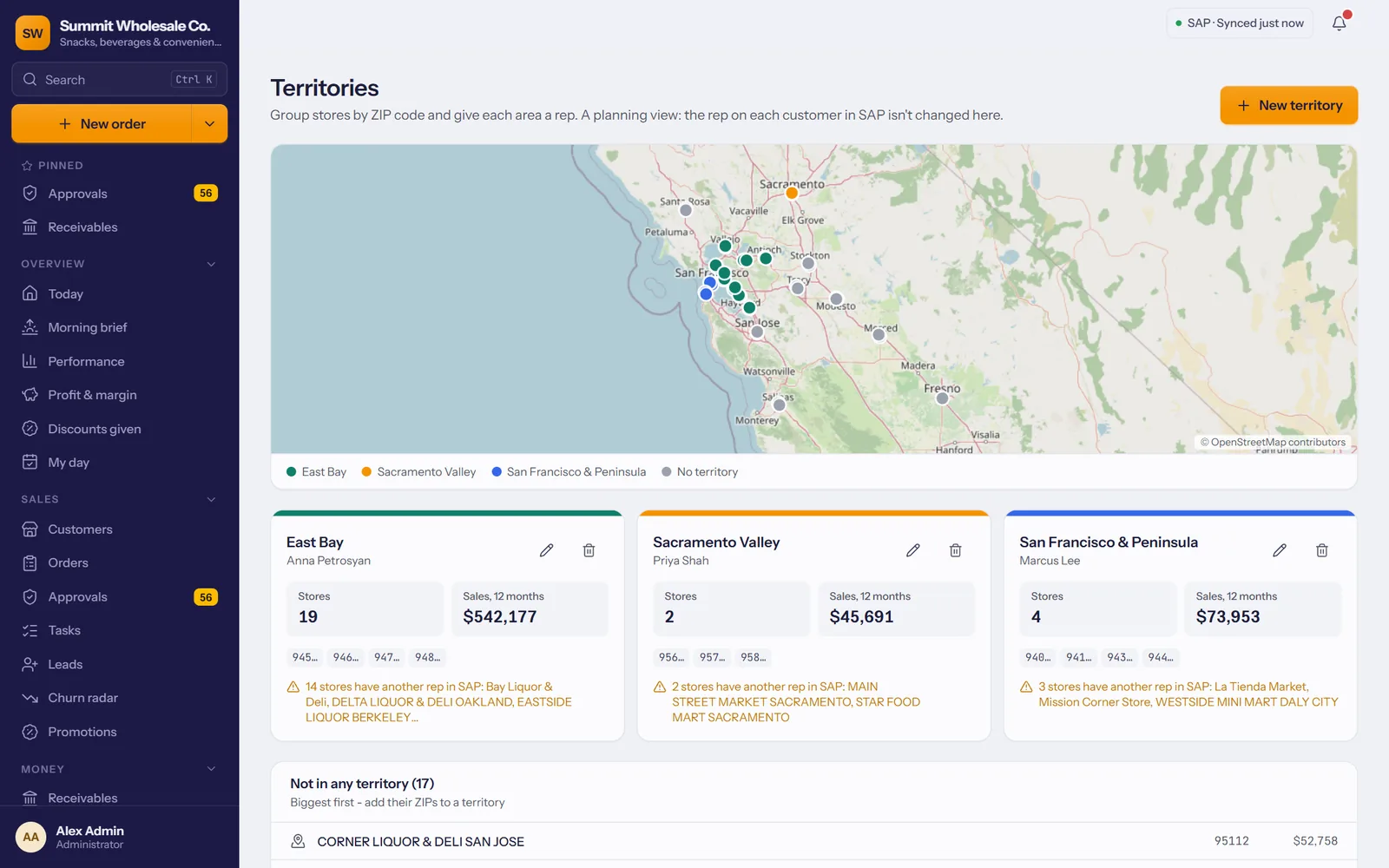
Who covers where, and how they're doing
Draw territories on a map, give each one a rep, and follow the day as it happens.
- Territories by ZIP code, with each one's stores and 12-month sales.
- Team today and team calendar: who's out, stops visited, orders taken - and, during the workday, where each rep is and how far they've driven.
- Goals per rep, measured against SAP invoices, and turned into a daily target on each rep's phone.
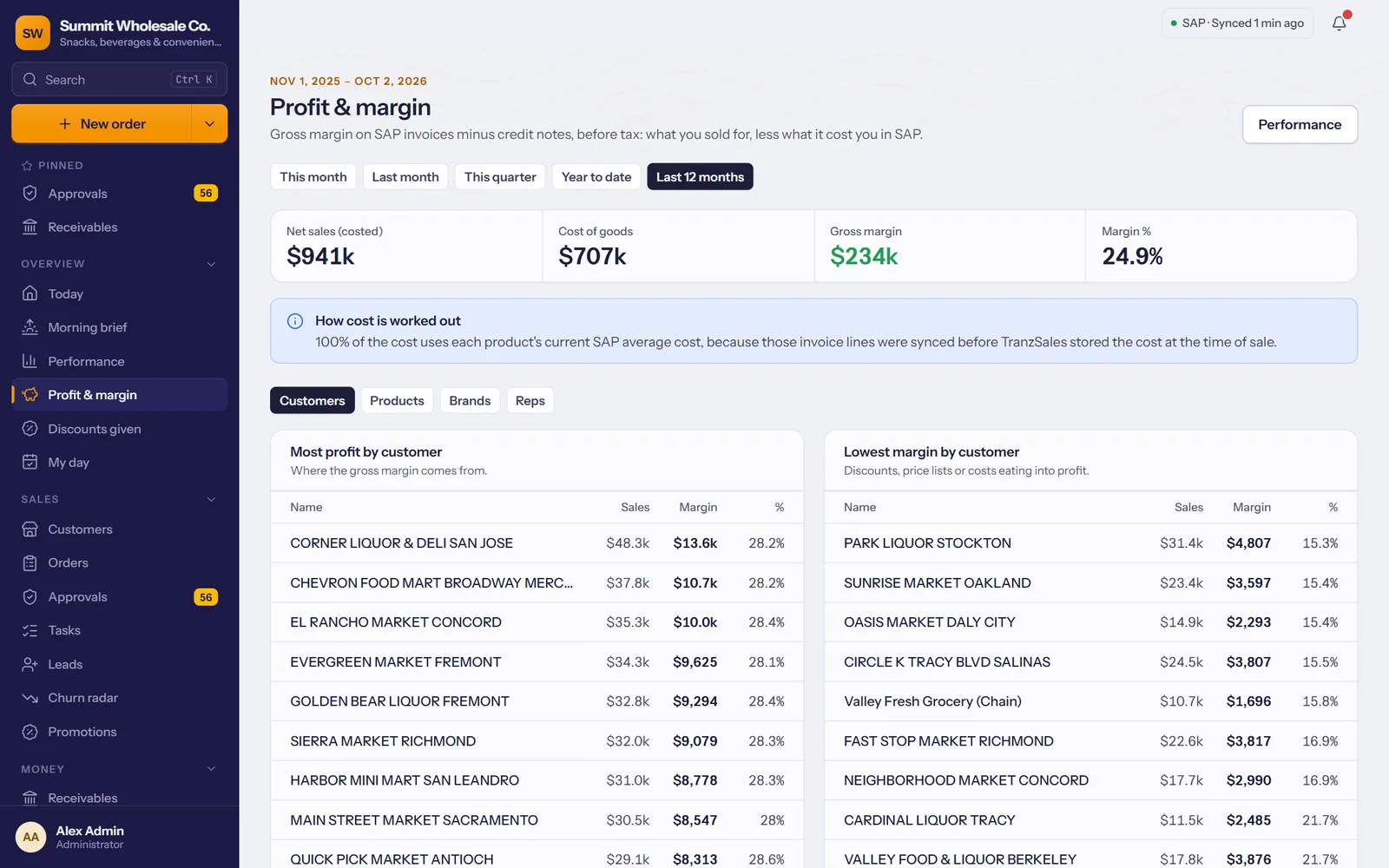
Where the money is actually made
Sales tell you who buys. Margin tells you who pays. Gross margin from SAP invoices and SAP cost, for any period.
- By customer, product, brand and rep, with the lowest margins listed next to the best.
- A price floor for reps: a price or discount below the margin you set waits for a manager. Reps never see the cost.
- Discounts given by hand, by who gave them and to whom.
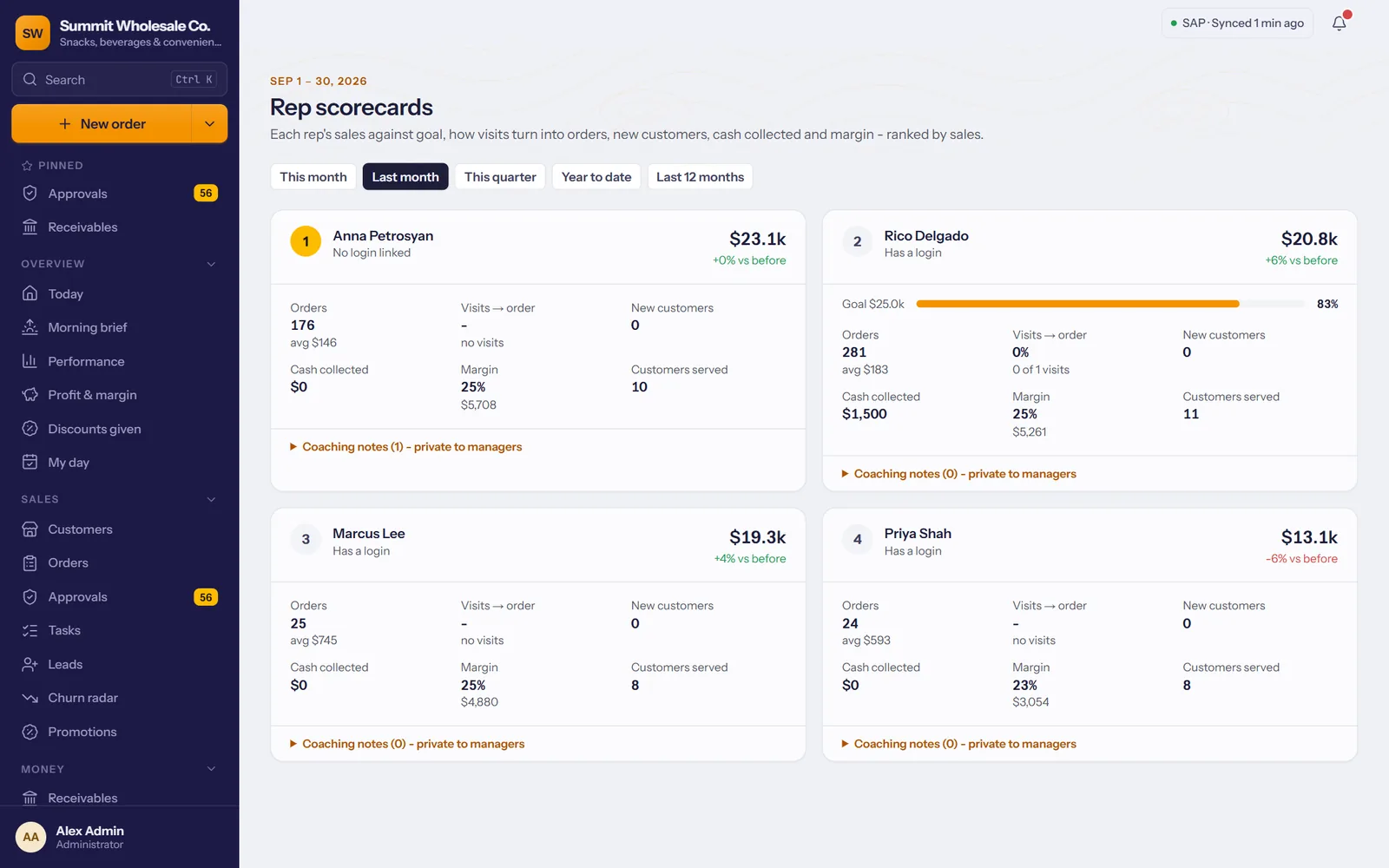
Coach with numbers, pay with confidence
A scorecard per rep and an estimate of what each one has earned, from the same SAP invoices as your reports.
- Sales against goal, visits that turned into orders, new customers, cash collected and margin.
- Private coaching notes for each rep, only for managers.
- Commissions on sales or margin, a rate per rep; reps see their own estimate on their phone.
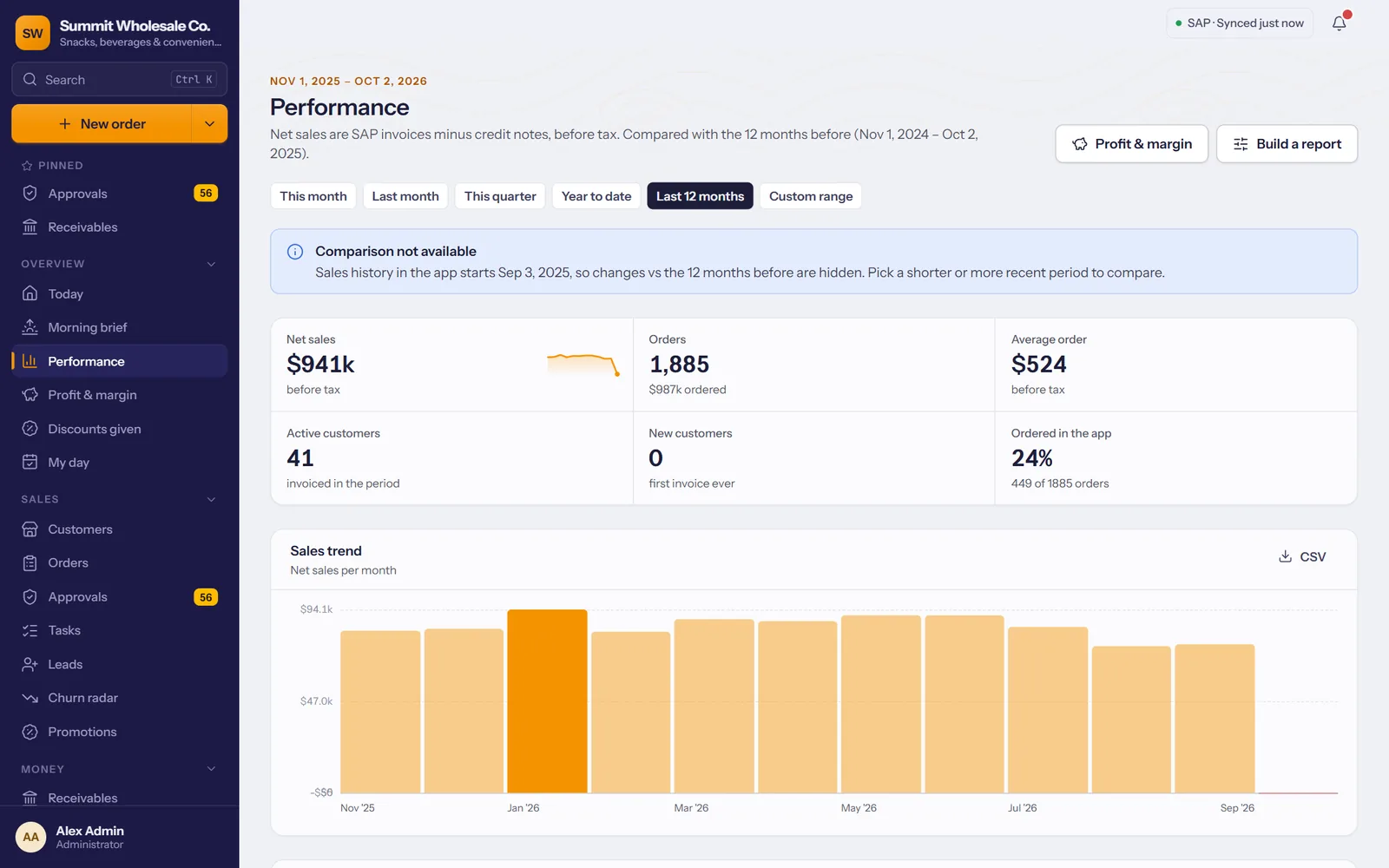
Numbers you can trust without exporting
Net sales are SAP invoices minus credit notes, before tax, so the report and the books agree.
- By rep, customer and product, for any period, compared with the one before.
- Build your own report and download it as CSV.
- A morning brief with yesterday's numbers and what needs attention.
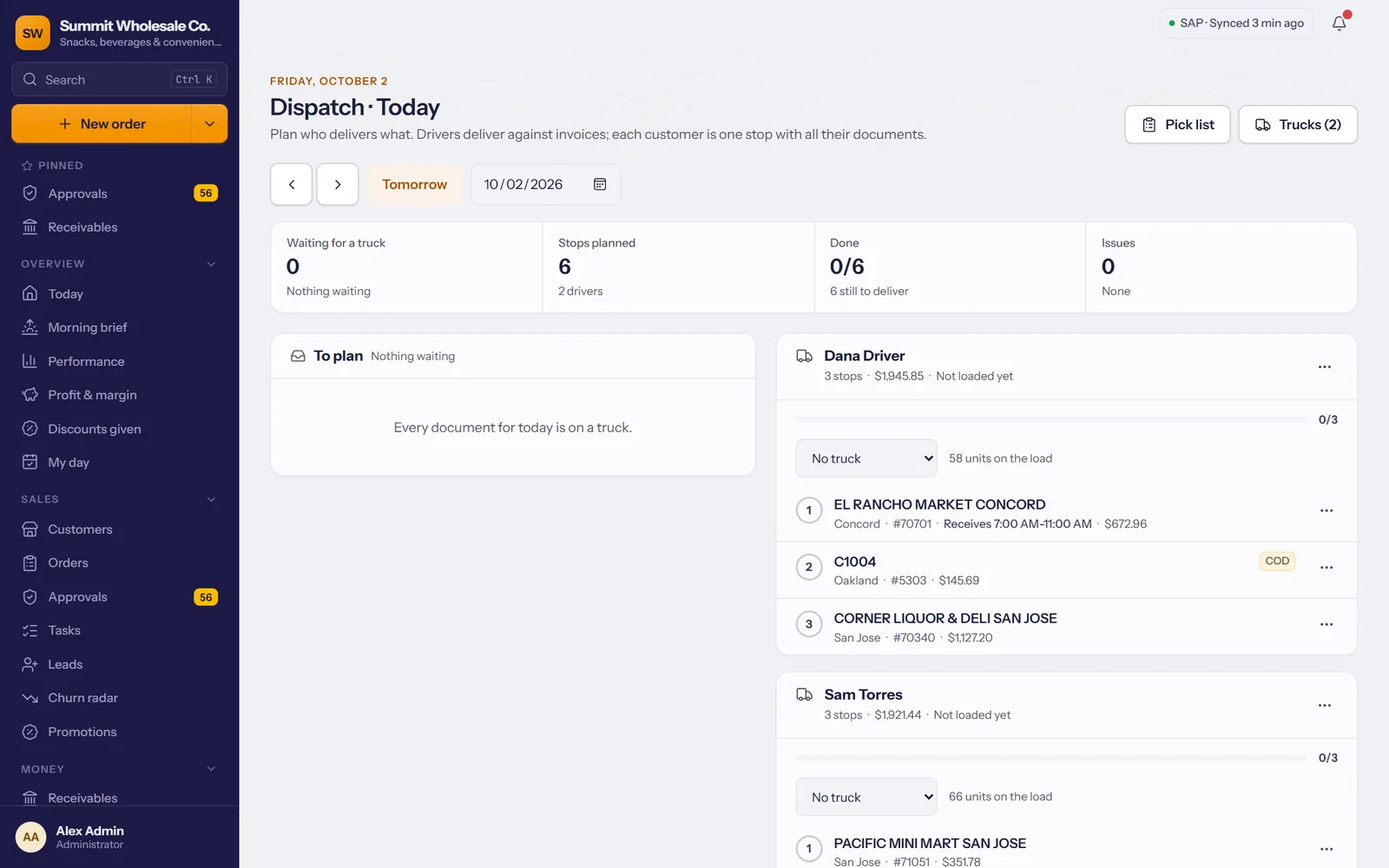
Tomorrow's deliveries, planned today
Invoices waiting for a truck show up on the board. Plan the runs in a few clicks and watch them on the road.
- Tick the stores, pick a driver, Plan: each store becomes one stop with all its documents.
- Driving order and truck capacity, worked out for you.
- One pick list for the whole day for the warehouse, then a live truck map and cash hand-in at the end of the day.
Who orders online, and who could
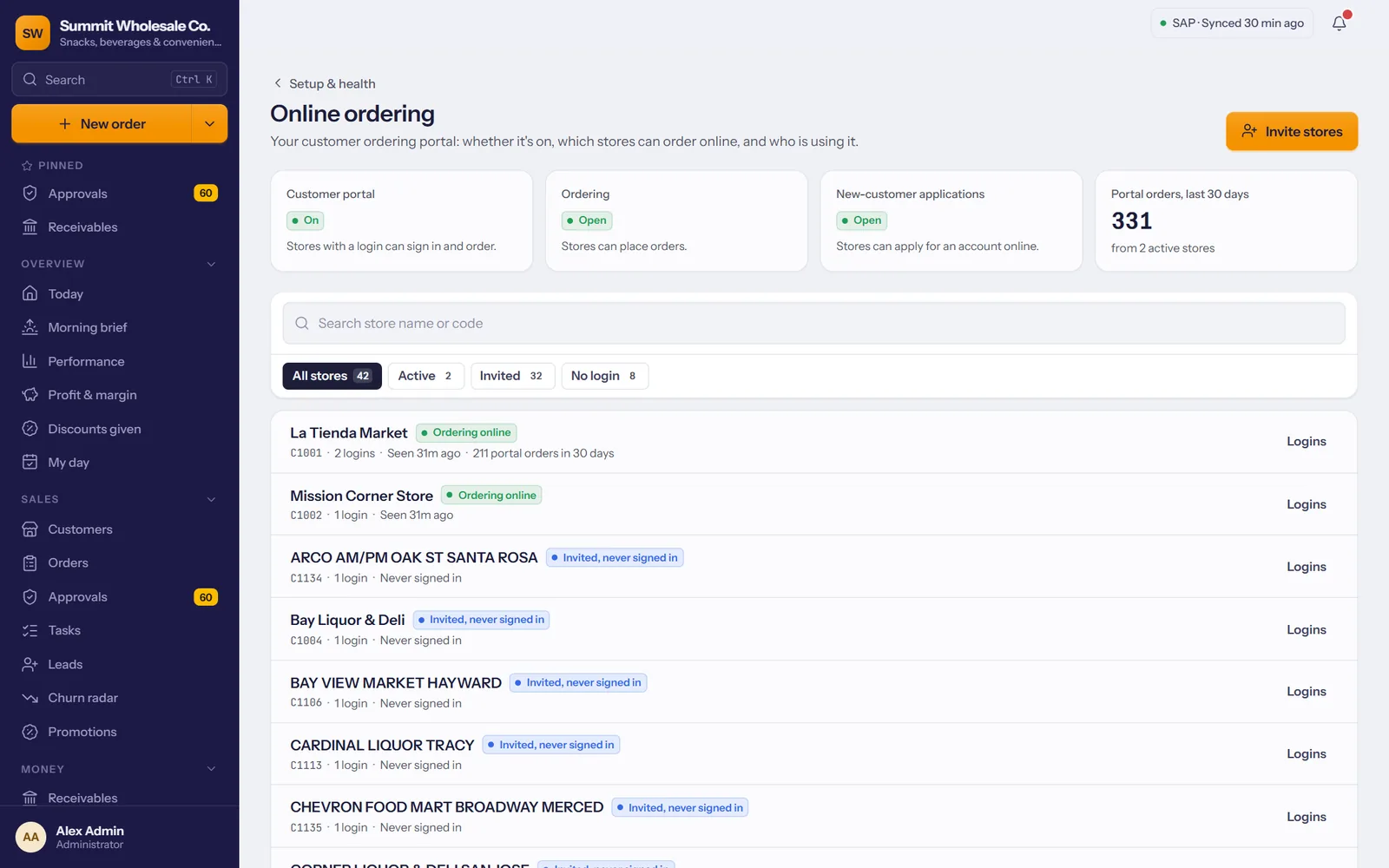
Every store's place in your ordering portal on one page: ordering online, invited but never signed in, or no login yet.
- Portal on or off, ordering open or paused, and new-customer applications waiting, at the top.
- Invite stores one by one or many at once, with each store's e-mail from SAP filled in.
- You check every e-mail before it goes: change it right there if SAP has the accounts inbox, not the buyer.
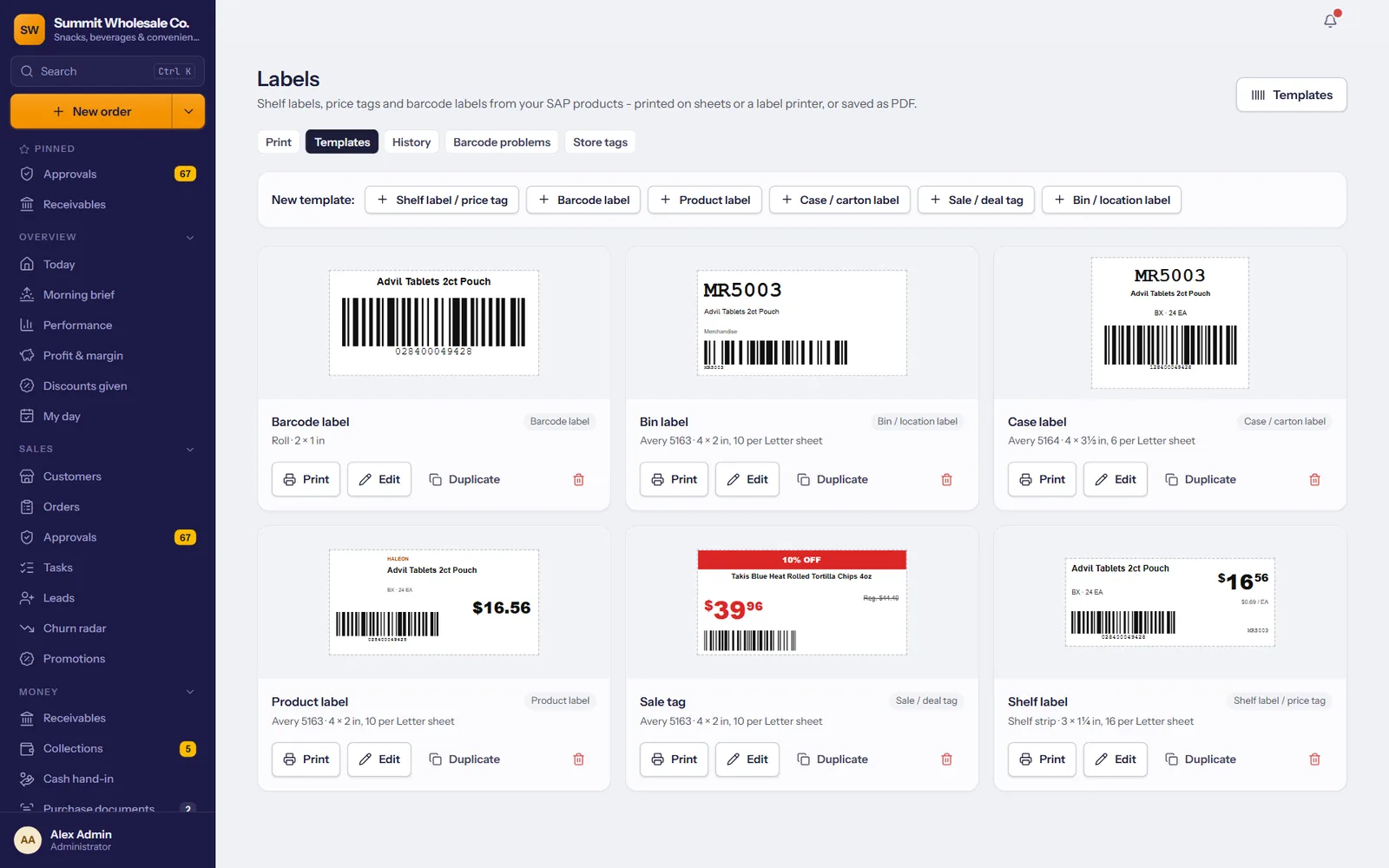
Shelf tags and barcodes, from your SAP items
Print price tags, shelf labels, barcode, case and bin labels for the products you already have in SAP, on label sheets or a label printer.
- Design your own, or start from a ready template: drag fields, set sizes, colors and fonts.
- Every common barcode, UPC, EAN, ITF-14, Code 128 and QR, with a warning when SAP has a bad one.
- Print in bulk: prices that changed, today's deals, new items, an order or an invoice. Saved as a PDF at the exact paper size.
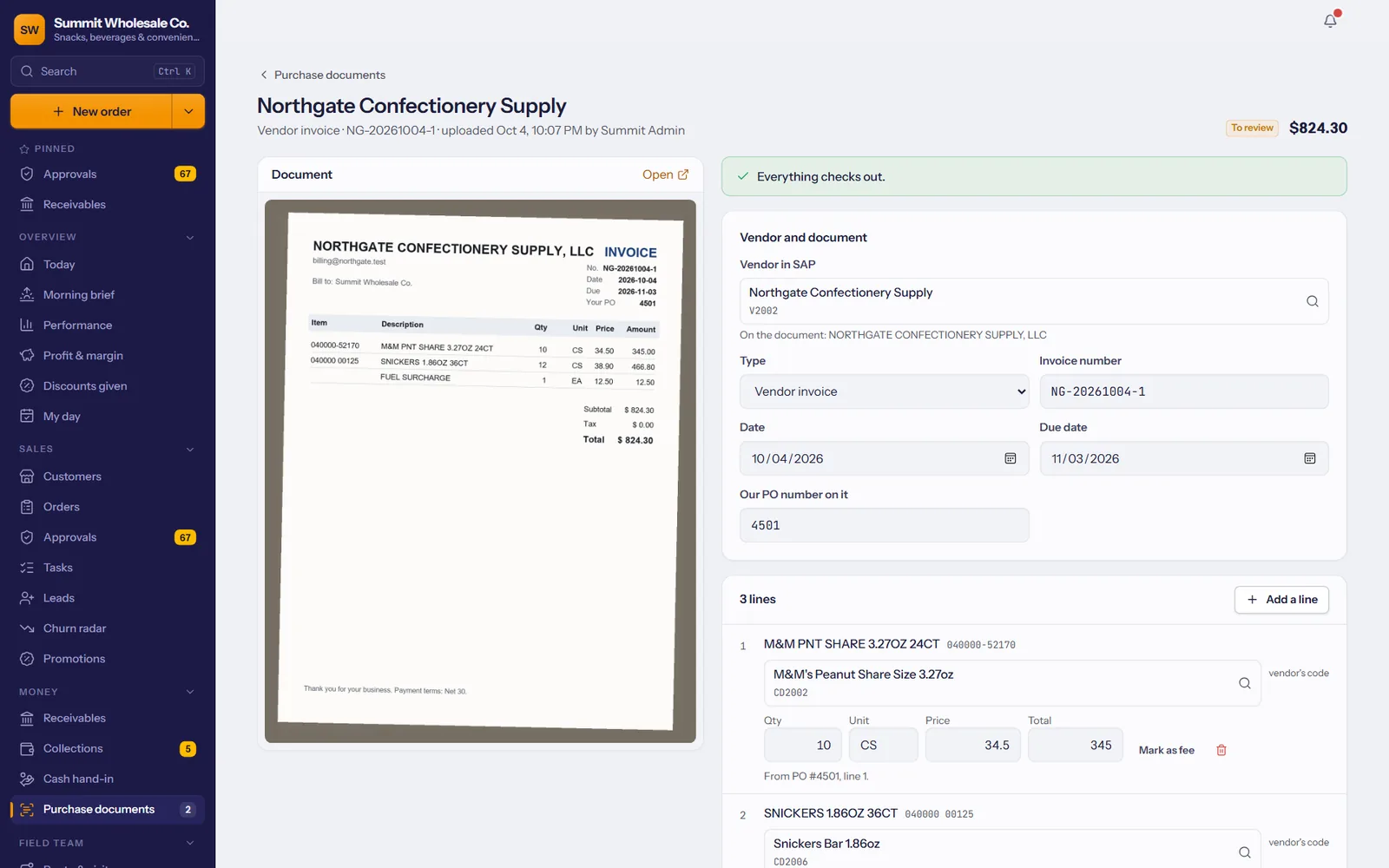
Vendor invoices into SAP, without retyping
Upload a vendor's invoice or a purchase order as a PDF, or photograph it with your phone. It's read for you, matched to your SAP vendors and items, and checked; you approve, and it goes to SAP.
- Matched the way your team would: the vendor's own item codes from SAP, barcodes, then names, and it remembers what you confirm.
- Every number checked: line totals, the invoice total, prices far from your cost, and duplicates already in SAP.
- You choose what SAP gets: a draft for accounting, an A/P invoice or a goods receipt against the open purchase order.
Deals with start and end dates, applied automatically on orders that qualify.
Short question lists for reps to fill in at the store: displays, end-caps, prices.
Return requests from reps, decided by the office and sent to SAP.
Eight roles from admin to store customer, each seeing what their job needs; take abilities away for a group with a custom role.
Every approval, price change and posted payment, with who and when.
Your logo and colors on every screen, e-mail and printout.
Big orders, quiet key accounts, SAP problems, plus last week's numbers every Monday.
Statements by e-mail and automatic reminders for overdue balances, in your own words.
Customer lists out to Excel, prospect lists in from a spreadsheet.
Approvals, today's numbers, the team on a map and purchasing documents, on your phone.
Reps share their location only during a workday they start, with a clear notice; you can switch it off for the company.