From the loading dock to the last stop.
Drivers see what goes on the truck, where to go next and what each store owes. Every delivery comes back signed, photographed and paid, even from a stockroom with no signal.
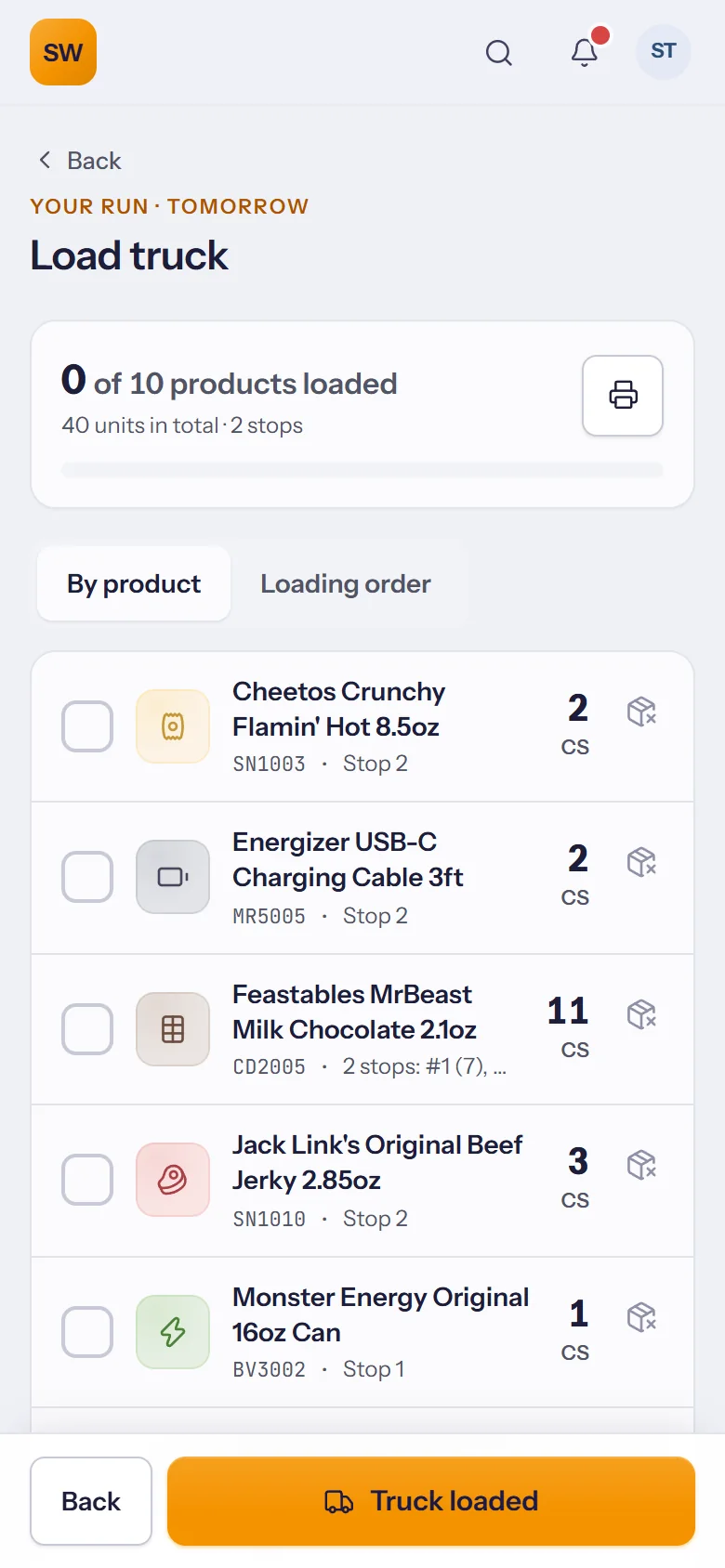
Load it right the first time
The load list for the run, by product or in loading order, so the first stop goes on last.
- Tick each product as it goes on the truck.
- Short on something? Record it before leaving, not at the store.
- Truck loaded starts the run for dispatch.
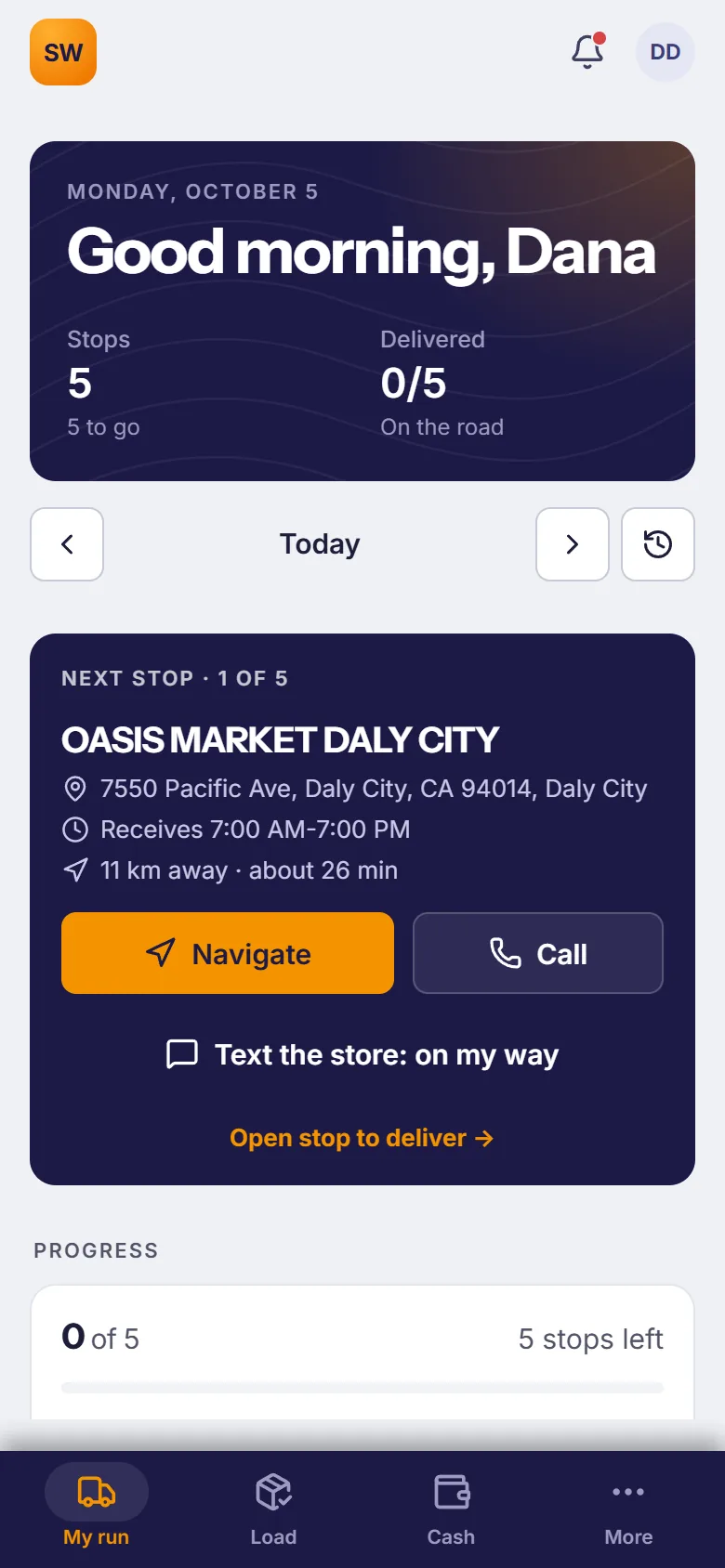
The next stop, and the one after
The next stop first, with the distance and drive time. One tap to navigate, call the store or text it that you're on the way.
- An arrival time for every stop, learned from how long each store's deliveries usually take.
- Receiving hours on every stop, with a warning when a store will be closed by the time you get there.
- Pull up at the store and the phone offers to mark you arrived.
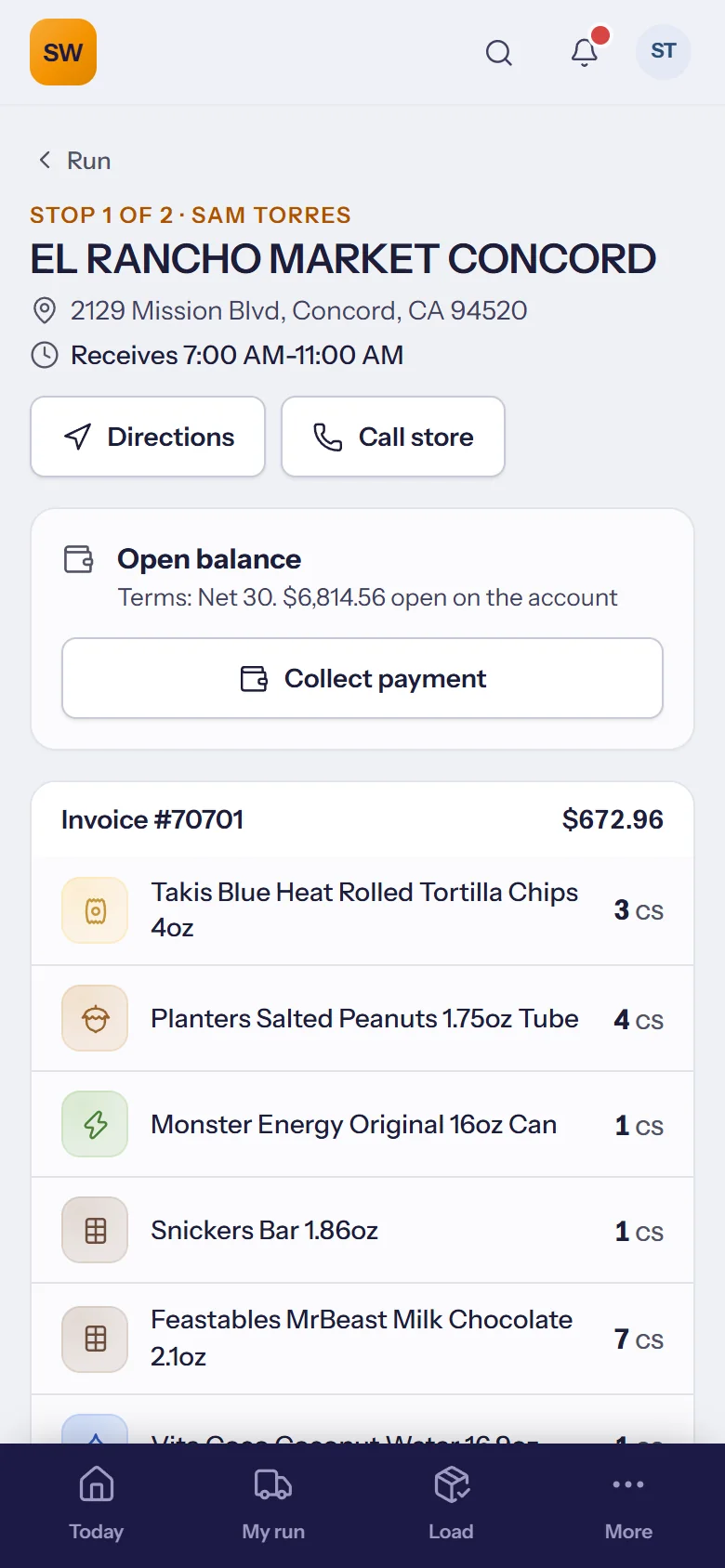
Delivered, signed and paid
The invoice lines to hand over, the store's open balance, and a signature and photo as proof of delivery.
- Signature and photo saved with the delivery.
- Collect a payment with the open balance right there.
- No signal? The whole run works offline; deliveries and payments are sent when it reconnects.
The office knows where the truck is
While a run is on the road, dispatch sees the truck on a live map. Sharing stops by itself when the run is finished.
- Live position only while the run is on the road.
- Cash hand-in at the end of the day, counted against what was collected.
- Trucks and capacity set up once, used for every run.
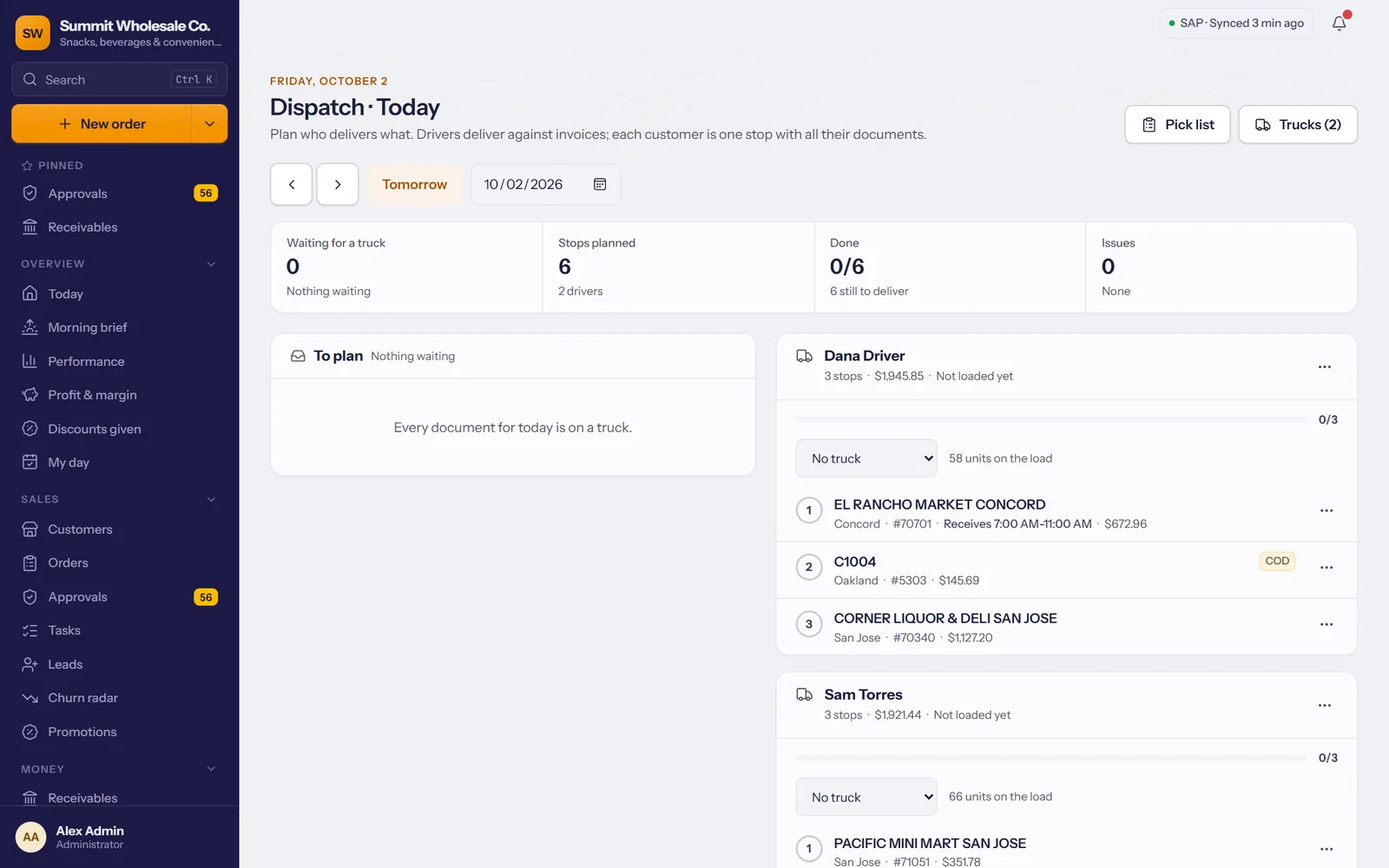
Runs on the phones your drivers already have; also works in the browser.
A stop that can't be delivered goes back on the board, with the reason.
Swipe for tomorrow's run, or back to yesterday's.
The warehouse picks the whole day at once; drivers see when their truck is packed.
Stops put in an order that doesn't double back.
Set per territory or store; orders suggest the next one.
For the warehouse, if you still like paper.
Failed stops show up first when the next day's runs are planned.