Vendor invoices into SAP, without retyping a line.
Drop in a PDF or photograph the paper. Every line is read for you, matched to your SAP vendors and items, and checked before anyone approves it. Then it goes to SAP the way you choose.
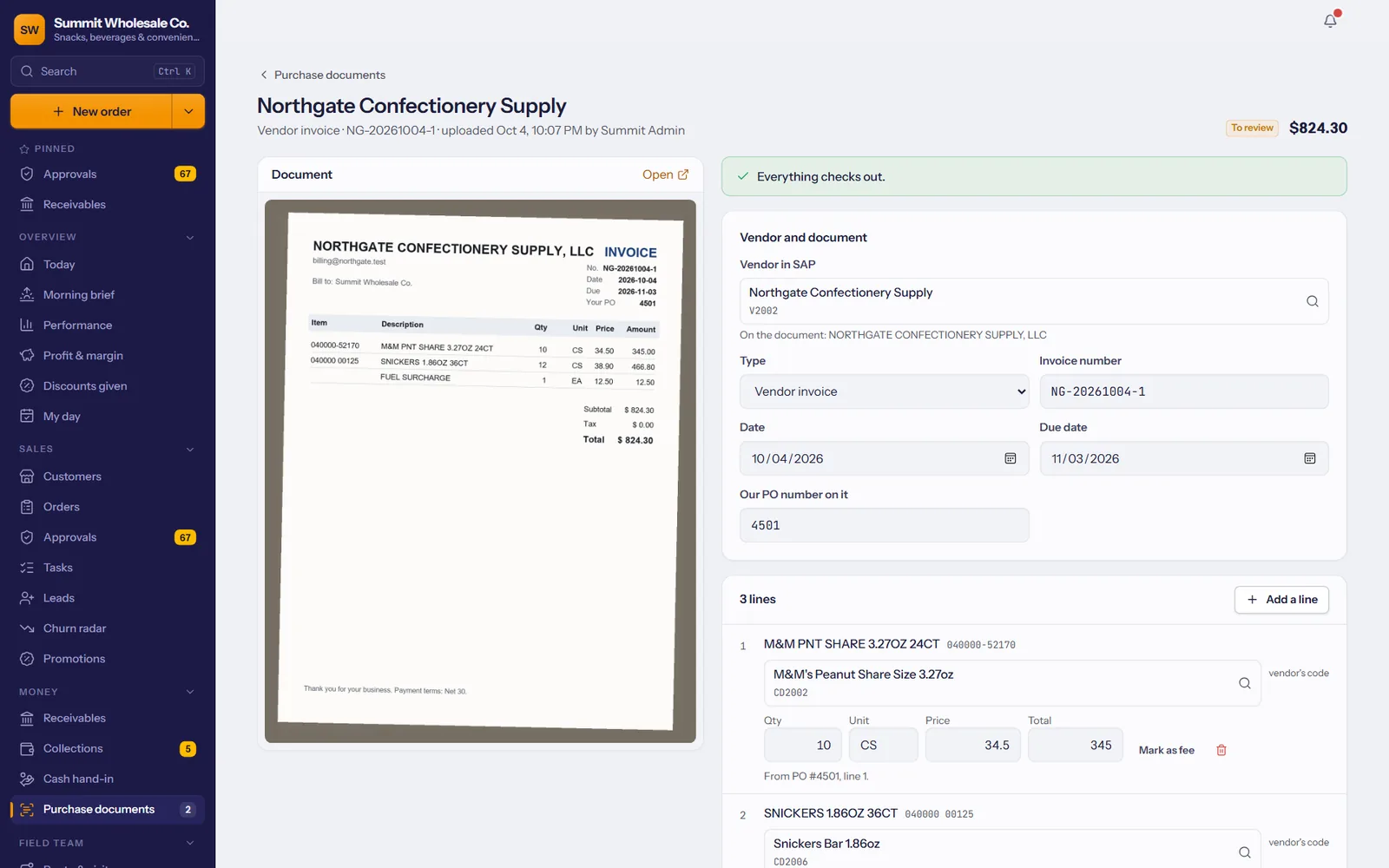
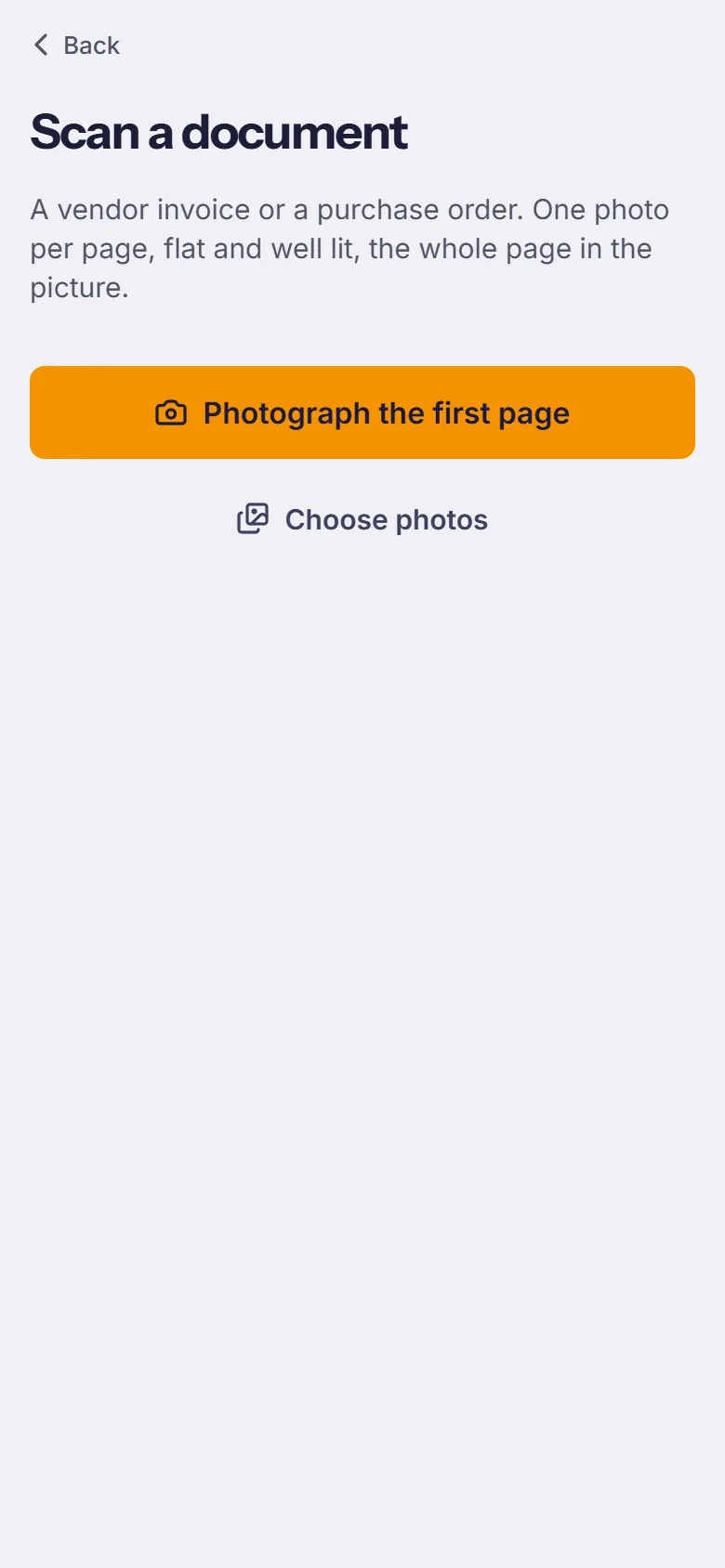
A PDF from e-mail, or a photo from the dock
Drag in the vendor's PDF, or photograph each page of a paper invoice or purchase order with the phone. Several pages make one document.
- Vendor invoices and purchase orders, yours or the vendor's confirmation.
- From the office or the phone, wherever the paper is.
- Every document in one list: to review, approved, set aside.
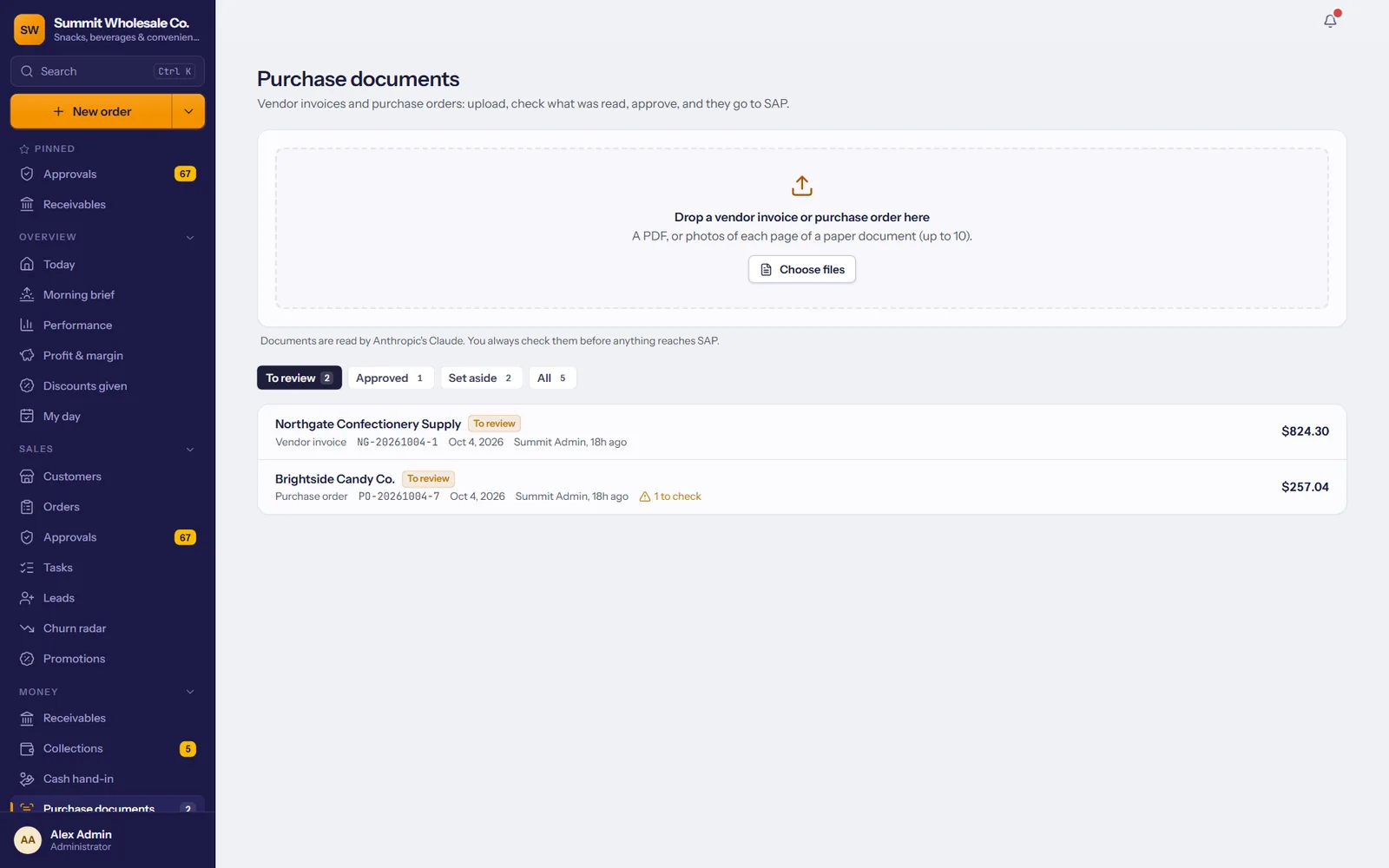
Every line read for you
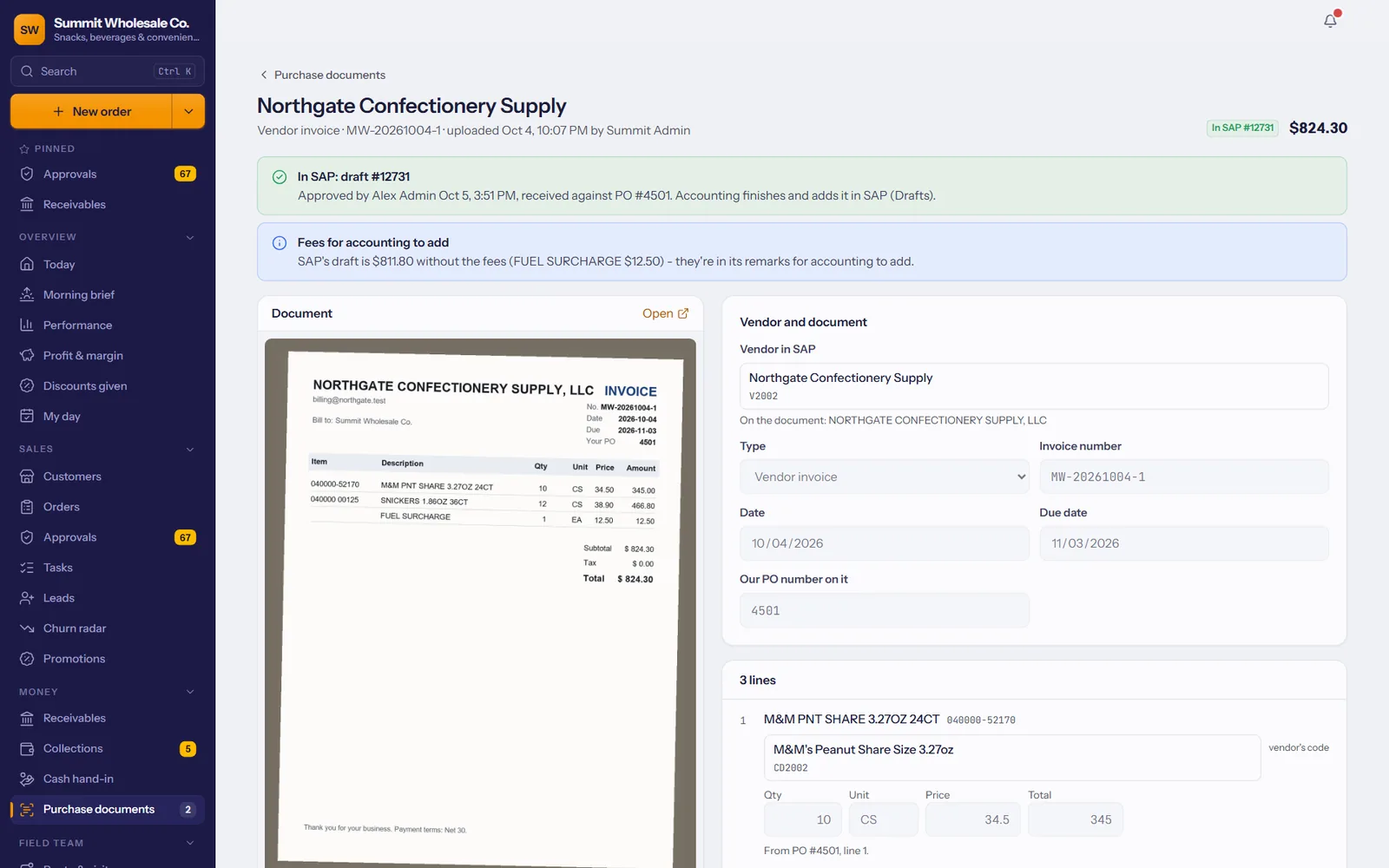
Vendor, invoice or PO number, dates, your PO number on it, every product with quantity, unit and price, freight, tax and the total.
- Shown next to the original, so checking takes seconds, not minutes.
- Anything unclear is flagged, never guessed silently.
- Read again with one click if the photo was poor.
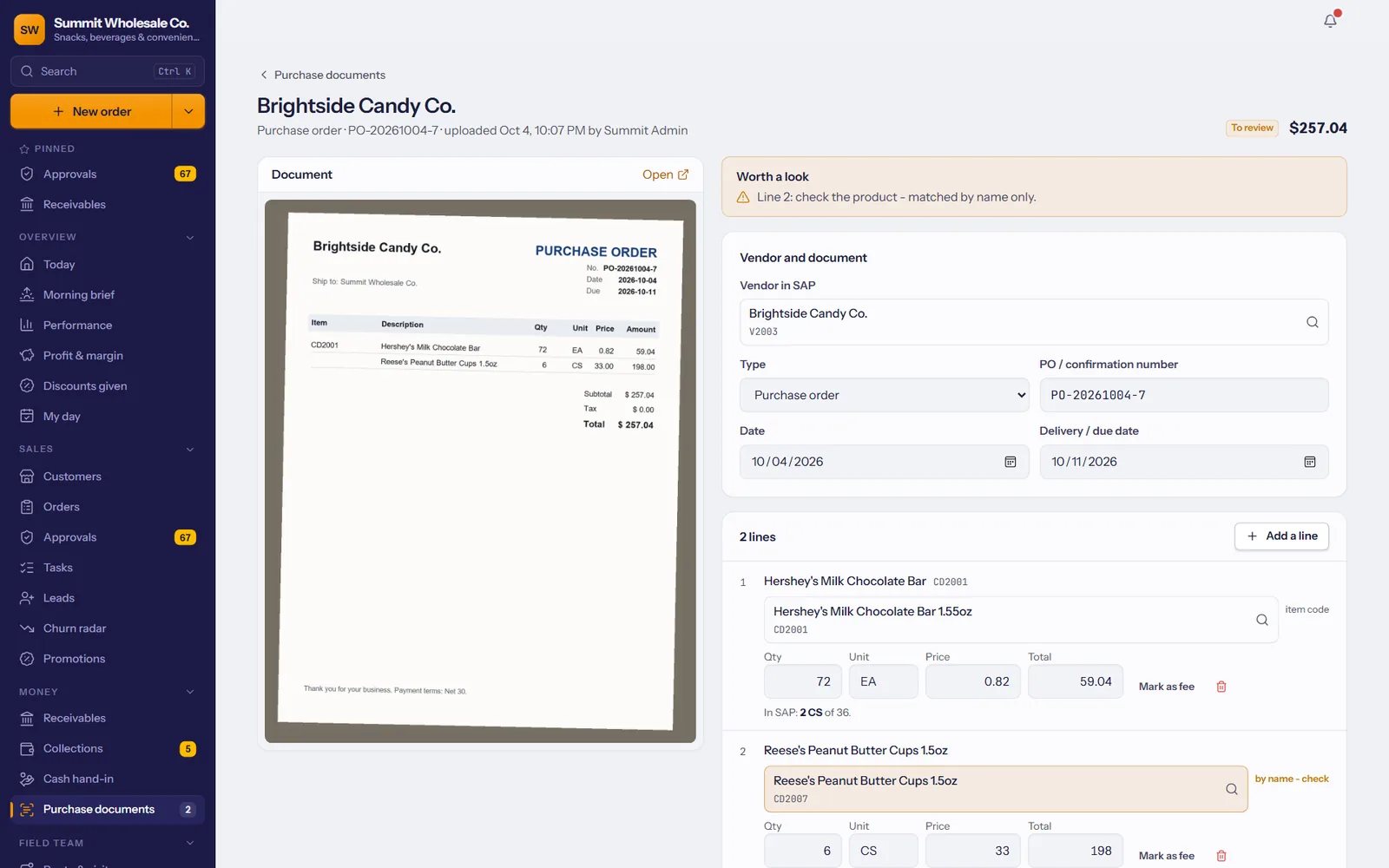
Matched to your SAP items, the way your team would
Lines are matched to your SAP vendor and items using the vendor's own catalog numbers you keep in SAP, then barcodes, then names.
- The vendor's item codes from SAP come first.
- Matched by name only? It's marked for a quick check.
- It remembers what you confirm, so the same vendor reads cleaner every time.
Mistakes on paper get caught, not paid
Before anyone approves, the numbers are checked: quantities times prices, the lines against the total, prices far from what you usually pay, and invoices already in SAP.
- Duplicates blocked: the same vendor invoice can't go in twice.
- Unusual prices flagged against your cost in SAP.
- Nothing reaches SAP until someone approves it.
You choose how it lands
Per document: a draft for accounting to finish, a posted A/P invoice, or a goods receipt - against your open purchase order, so SAP closes what you received.
- Your uploaded purchase orders become SAP purchase orders.
- Freight and fees go where your accounting wants them.
- The SAP document number shows on the import, with who approved it and when.
Documents are read with your company's own Anthropic API key, billed by Anthropic at cost - typically a few cents per document.
Approvals for managers and accounting; amounts over your limit go to the owner.
Not for SAP? Set it aside with a reason; it stays on record.
If SAP is busy, the document waits and is sent again by itself.
Every upload, change and approval, with who and when.
Purchasing import comes with Enterprise. Ask us about adding it to your plan.